Category: WordPress SEO

  • How to Integrate Gemini AI With WordPress for SEO Content

    How to Integrate Gemini AI With WordPress for SEO Content

    Content creation remains the backbone of search engine optimization, but the manual effort of researching, writing, and publishing optimized articles can slow even the most dedicated teams. Google’s Gemini AI model offers a powerful alternative to traditional content workflows, and when you integrate Gemini AI with WordPress for SEO content, you unlock the ability to produce high-ranking articles at scale without sacrificing quality. This integration transforms how agencies, marketers, and site owners approach organic growth.

    The challenge is knowing exactly how to connect Gemini’s capabilities to your WordPress site in a way that produces search-friendly results. Many users attempt to paste generic AI output directly into their CMS, only to find the content lacks depth, keyword alignment, or proper structure. A strategic integration goes far beyond copy-pasting. It involves configuring the right prompts, leveraging automation tools, and ensuring every article serves a clear SEO purpose. In this guide, we will walk through the practical steps to achieve this integration, the specific SEO benefits you can expect, and how to avoid common pitfalls that dilute your content’s impact.

    Whether you manage a single blog or oversee dozens of client sites, understanding how to pair Gemini AI with your WordPress workflow will save you hours of manual work while improving your search visibility. The process is not as complex as it sounds, but it requires attention to detail in areas like keyword placement, content structure, and publication scheduling.

    Why Gemini AI Changes the SEO Content Game

    Gemini AI, developed by Google, brings a unique advantage to content creation because it is built on a model that understands context, nuance, and search intent at a deep level. Unlike older AI tools that simply string together keywords, Gemini can generate coherent, long-form articles that feel natural to readers while still satisfying search engine algorithms. This makes it an ideal partner for WordPress content strategies focused on organic traffic.

    The real power of Gemini lies in its ability to handle complex instructions. You can specify target keywords, desired tone, word count, and structural elements like headings and bullet points. The model then produces a draft that requires minimal editing. For SEO professionals, this means less time spent on initial writing and more time on optimization, link building, and performance analysis. When you integrate Gemini AI with WordPress for SEO content, you effectively create a pipeline that moves from idea generation to published post in a fraction of the traditional time.

    Another critical factor is cost efficiency. By using Gemini’s API through platforms like OrganicStack, you avoid the per-word or per-article pricing of many content services. Instead, you pay a predictable subscription fee that covers both AI credits and the automation infrastructure needed to manage multiple sites. This makes scaling content production financially viable for small agencies and solo operators alike.

    Setting Up the Integration for Maximum SEO Impact

    Connecting Gemini AI to your WordPress site requires a few key components. The most reliable method involves using a dedicated content automation platform that handles API communication, content generation, and direct publishing. OrganicStack is one such platform, designed specifically to bridge AI models with WordPress multisite management.

    Step 1: Obtain Your Gemini API Key

    Before any integration can happen, you need access to the Gemini API. Visit the Google AI Studio or Google Cloud Console to generate a unique API key. This key acts as the authentication token that allows your automation platform to send prompts to Gemini and receive generated content. Store this key securely, as it will be entered into your automation dashboard.

    Step 2: Connect Gemini to Your Automation Platform

    Once you have your API key, log in to your OrganicStack account and navigate to the AI model settings. Select Gemini from the list of supported models and paste your API key into the designated field. The platform will test the connection to confirm everything works. This step is crucial because it ensures that future content requests will route through Gemini rather than a different AI model.

    Step 3: Install the OrganicStack Publisher Plugin

    For the automation platform to publish directly to your WordPress site, you need the OrganicStack Publisher Plugin installed on each target site. This plugin establishes a secure connection between the dashboard and your WordPress installation. Once activated, it enables seamless content delivery, including images, metadata, and internal links.

    After these three steps, your integration is live. You can now create content briefs, specify keywords, and let Gemini generate drafts that are automatically formatted and published to your WordPress site. The next section covers how to optimize these drafts for SEO.

    Optimizing Gemini-Generated Content for Search Rankings

    Generating content is only half the battle. To make that content rank, you must apply SEO best practices during the creation process. Gemini’s flexibility allows you to bake these practices directly into your prompts.

    • Keyword placement: Instruct Gemini to include primary and secondary keywords in the first paragraph, at least one H2 heading, and naturally throughout the body. Avoid keyword stuffing by specifying a maximum density.
    • Content structure: Request clear H2 and H3 headings that break the article into scannable sections. Search engines favor well-organized content that answers user questions directly.
    • Internal linking: Include placeholders or actual links to other relevant posts on your site. For example, you might reference a guide on AI long-tail keyword research for WordPress SEO to add context and keep readers on your site longer.
    • Meta data: Ask Gemini to generate a meta description and title tag that include your target keyword. These elements directly influence click-through rates from search results.
    • Readability: Set a target reading level (e.g., grade 8-10) to ensure the content is accessible to a broad audience. Gemini can adjust its vocabulary and sentence complexity based on this instruction.

    By embedding these parameters into your content briefs, you reduce the need for post-generation editing. The AI produces a draft that is already 80% optimized, leaving you only to review for accuracy and brand voice. Over time, you can refine your prompts based on which articles perform best in search results.

    One area where many users fall short is ignoring the importance of unique insights. Gemini generates content based on patterns in its training data, which means it can sometimes produce generic statements. To combat this, add a custom instruction in your prompt that requires the AI to include a specific statistic, example, or perspective that you provide. This small addition can dramatically improve the article’s originality and authority.

    Scaling Content Production Across Multiple Sites

    For agencies and power users, the ability to manage multiple WordPress sites from a single dashboard is where Gemini integration truly shines. Instead of logging into each site individually, you can create a content calendar, assign articles to different sites, and schedule publication dates all within your automation platform.

    OrganicStack’s multi-site management feature allows you to connect unlimited WordPress installations. Each site can have its own content settings, including default categories, tags, and author profiles. When you generate an article using Gemini, you simply select which site or sites should receive it. This is particularly valuable for agencies that run SEO campaigns for multiple clients, each with their own niche and keyword targets.

    Another advantage is the ability to repurpose content. You can generate a single long-form article and then use Gemini to create shorter summaries or social media snippets for distribution across different platforms. This maximizes the value of each piece of content without duplicating effort. For a deeper look at scaling strategies, read our guide on bulk content automation for WordPress SEO.

    Measuring the SEO Performance of AI-Generated Content

    Integration without measurement is guesswork. After you begin publishing Gemini-generated articles, you must track their performance to understand what works and what needs adjustment. Key metrics include organic traffic, average position in search results, click-through rate, and time on page.

    Most automation platforms provide basic analytics, but you should also connect your WordPress site to Google Search Console and Google Analytics. These tools give you granular data on which keywords are driving impressions and which articles are converting visitors into subscribers or customers. Compare the performance of AI-generated content against manually written pieces to identify patterns.

    If you notice that certain articles underperform, revisit your prompts. The issue may be that your instructions were too vague or that the keyword targeting was off. Adjust the parameters, regenerate the content, and republish. This iterative process is standard in SEO, and it works just as well with AI-generated content as it does with human-written material.

    Common Mistakes to Avoid

    Even with a solid integration, mistakes can undermine your results. Here are the most frequent errors and how to avoid them.

    • Over-relying on AI without human review: Always read through generated content before publishing. Gemini can make factual errors or produce awkward phrasing that harms credibility.
    • Ignoring brand voice: AI can mimic a neutral tone, but your brand likely has a specific personality. Add brand voice instructions to your prompts to maintain consistency.
    • Neglecting internal links: AI does not automatically know your existing content. You must either add internal links manually or include them in your prompt with specific URLs.
    • Publishing too frequently: More content is not always better. Focus on quality and relevance. Publishing dozens of thin articles can trigger algorithm penalties.
    • Forgetting about user intent: Ensure each article matches what users actually search for. Use keyword research tools to confirm intent before generating content.

    Avoiding these pitfalls will keep your content strategy on track and prevent wasted effort. Remember that AI is a tool to augment your skills, not replace your judgment.

    Future-Proofing Your Content Workflow

    The landscape of AI and SEO changes rapidly. Google frequently updates its algorithms, and AI models like Gemini receive regular improvements. To stay ahead, build flexibility into your workflow. Use platforms that support multiple AI models so you can switch between them as new options emerge. Keep your prompts documented so you can replicate successful patterns across different topics.

    Another forward-looking strategy is to focus on topic clusters rather than individual keywords. Gemini excels at generating interconnected content that builds topical authority. By creating a series of related articles that link to each other, you signal to Google that your site is an expert resource on a particular subject. This approach tends to produce better long-term rankings than isolated keyword targeting.

    Finally, invest in learning how to craft better prompts. The quality of your output depends heavily on the quality of your input. Study prompt engineering techniques and experiment with different phrasing to see what yields the best SEO results.

    Integrating Gemini AI with WordPress for SEO content is not a one-time setup. It is an ongoing process of refinement, measurement, and adaptation. Those who commit to this process will find themselves outpacing competitors who still rely on manual methods or outdated AI tools.

  • AI Long-Tail Keyword Research for WordPress SEO

    AI Long-Tail Keyword Research for WordPress SEO

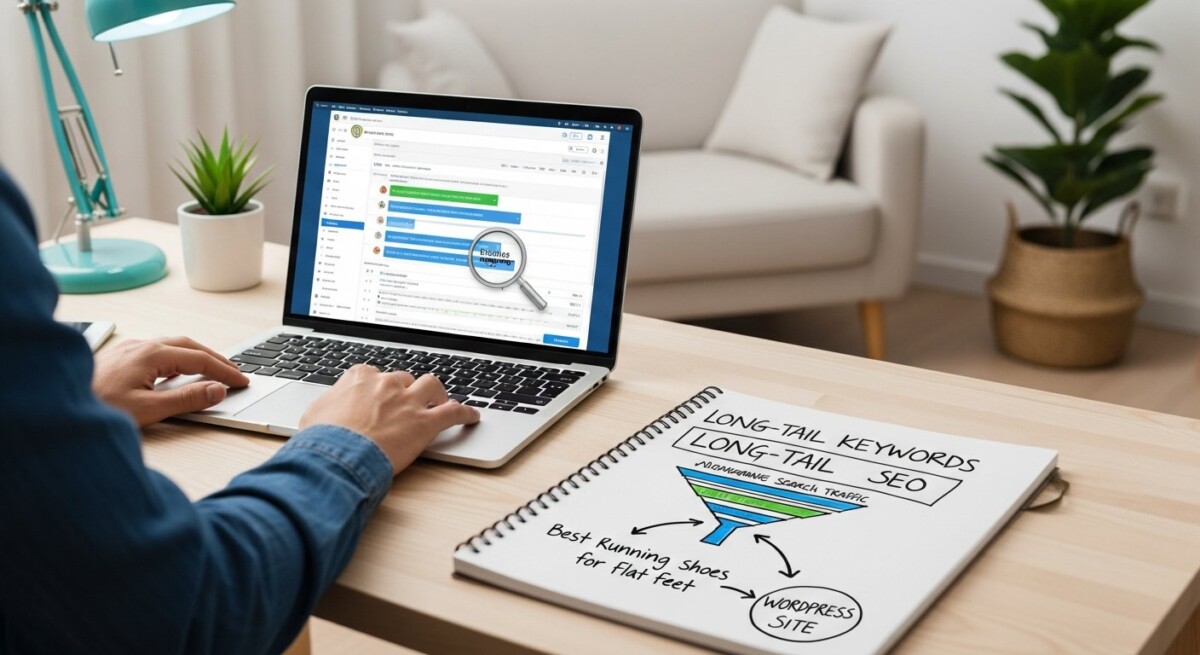
    Traditional keyword research often focuses on high-volume, competitive terms that take months to rank for. For WordPress site owners, agencies, and content creators, a smarter approach lies in targeting specific, low-competition phrases that match user intent. Long-tail keyword research with AI for WordPress SEO transforms this process by automating discovery, analysis, and prioritization of these valuable terms. Instead of guessing what your audience searches for, AI tools analyze real search data, competitor gaps, and semantic relationships to uncover opportunities that drive qualified traffic faster.

    This guide walks you through a practical framework for using AI to find long-tail keywords, optimize your WordPress content, and scale your organic growth. Whether you manage a single blog or multiple client sites, these strategies will help you build a content pipeline that consistently attracts engaged readers.

    Why Long-Tail Keywords Matter for WordPress SEO

    Long-tail keywords are search phrases that contain three or more words. They have lower search volume than broad terms but convert at a much higher rate because they capture users with clear intent. For example, a search for “best running shoes” is broad and competitive. A search for “best running shoes for flat feet under $100” is specific and signals a buyer ready to purchase. These precise queries are easier to rank for because they face less competition from established domains.

    For WordPress sites, long-tail keywords offer several strategic advantages. They allow new or smaller sites to compete in niches where authority sites dominate generic terms. They also improve content relevance because each piece can target a single, well-defined topic. This alignment between content and search intent signals quality to Google’s algorithms, often leading to better click-through rates and lower bounce rates.

    AI accelerates this process by analyzing vast datasets to identify patterns that humans might miss. Instead of manually brainstorming phrases or using basic keyword tools, AI can generate hundreds of relevant long-tail variations based on a seed topic. It can also evaluate search volume, competition level, and trending patterns to prioritize terms with the best opportunity for your specific domain authority.

    How AI Transforms Long-Tail Keyword Discovery

    AI-powered keyword research moves beyond simple suggestion lists. Modern tools use natural language processing (NLP) and machine learning models to understand the context behind search queries. They analyze how users phrase questions, what related topics they explore, and which content formats satisfy their intent. This depth of analysis helps you create content that answers real user needs rather than just stuffing keywords.

    One of the most powerful capabilities is semantic clustering. AI groups related long-tail phrases into topic clusters, revealing broader themes you can cover across multiple posts. For instance, if you run a WordPress site about gardening, AI might cluster keywords around “organic pest control,” “soil preparation,” and “seasonal planting.” Each cluster becomes a content pillar that supports multiple articles, each targeting a specific long-tail query. This approach strengthens your site’s topical authority, which is a key ranking factor for Google.

    AI also analyzes competitor content to find gaps. By scanning top-ranking pages for your target keywords, AI identifies subtopics they cover poorly or omit entirely. You can then create more comprehensive content that fills those gaps, giving you a competitive edge. For agencies managing multiple client sites, this automated competitive analysis saves hours of manual research per project.

    Practical Steps for AI-Driven Keyword Research

    To implement long-tail keyword research with AI for WordPress SEO, follow this structured workflow. First, define your core topics based on your site’s niche or your client’s business goals. For example, if you sell SEO services, your core topics might include “on-page optimization,” “link building,” and “technical SEO.”

    Next, use an AI keyword tool to generate long-tail variations for each core topic. Input your seed keywords and let the tool produce a list of questions, prepositions, and modifiers. Common modifiers include “best,” “how to,” “vs,” “for beginners,” “cost,” and “near me.” The AI will combine these with your seed terms to create highly specific phrases.

    1. Generate a list of 50-100 long-tail keywords per core topic using AI clustering.
    2. Filter the list by search volume and competition score to identify low-competition, moderate-volume terms.
    3. Analyze search intent for each keyword: informational, navigational, commercial, or transactional.
    4. Map each keyword to a specific content format (blog post, guide, listicle, product review).
    5. Prioritize keywords where your site can realistically rank within 2-3 months based on current domain authority.

    Once you have your prioritized list, integrate these keywords into your WordPress content plan. Each article should target one primary long-tail phrase and two to three related secondary phrases. Use the primary keyword in your title, first paragraph, and one H2 heading. Sprinkle secondary keywords naturally throughout the body without forcing them.

    For agencies using platforms like OrganicStack, this entire workflow can be automated. The platform’s keyword intelligence feature generates keyword variations and integrates them directly into the content creation process. You can configure AI models such as OpenAI, Gemini, or DeepSeek to produce articles that are optimized for your chosen long-tail terms. This eliminates the manual step of copying keywords between tools and ensures every piece of content is SEO-ready from the start.

    Optimizing WordPress Content for Long-Tail Keywords

    Finding the right keywords is only half the battle. To rank for long-tail queries, your content must satisfy user intent comprehensively. This means going beyond basic keyword placement and creating valuable, well-structured articles that answer the searcher’s question completely.

    Start with your title and meta description. Include the primary long-tail keyword naturally, but also make it compelling for readers. A title like “How to Choose Running Shoes for Flat Feet Under $100” is both keyword-rich and clickable. The meta description should expand on the promise, mentioning specific benefits or steps covered in the article. Keep it between 130-160 characters and avoid generic phrases.

    Structure your content to include clear headings that mirror the user’s journey. If someone searches “how to fix a leaky faucet with a compression valve,” your article should have sections like “Identifying the Valve Type,” “Tools You Will Need,” and “Step-by-Step Repair Guide.” Each section should be substantial, with at least two to three paragraphs of actionable advice. Use bullet points for tools or steps to improve scannability, but follow each list with a paragraph that adds context or troubleshooting tips.

    Internal linking is another critical SEO element for long-tail content. Link to related articles on your site using descriptive anchor text. For example, if your long-tail article discusses content automation, you might link to a guide on bulk content automation for WordPress SEO to provide deeper context. This creates a web of topical relevance that helps search engines understand your site’s authority on the subject.

    Finally, ensure your WordPress site is technically optimized for SEO. Use an SEO plugin like Yoast or Rank Math to set focus keywords, write meta descriptions, and generate XML sitemaps. Enable caching and use a content delivery network (CDN) to improve page speed. Mobile responsiveness is non-negotiable because most long-tail searches happen on mobile devices. Regularly audit your site for broken links, duplicate content, and slow-loading pages.

    Scaling Long-Tail Content Production with AI

    For agencies and content teams, producing individual articles for each long-tail keyword is time-consuming. AI-powered content automation platforms solve this by generating multiple SEO-optimized articles simultaneously. You can input a list of long-tail keywords and have the AI produce drafts that include headings, subheadings, and keyword-optimized body text. This scales your content production without sacrificing quality.

    OrganicStack’s multi-site management feature is particularly valuable for agencies. You can create content for dozens of client sites from a single dashboard, schedule posts across different time zones, and publish automatically using the OrganicStack Publisher Plugin. The platform’s smart scheduling ensures consistent publishing cadences, which signals freshness to search engines. Combined with AI-driven keyword research, this approach lets you dominate niche topics across multiple domains.

    However, automation does not mean set-and-forget. Each AI-generated article should be reviewed by a human editor before publishing. Check for factual accuracy, tone consistency, and alignment with your brand voice. Add original insights, examples, or data points that AI cannot generate. This human touch differentiates your content from generic AI spam and builds trust with readers.

    Track performance using analytics tools to see which long-tail keywords drive the most traffic and conversions. OrganicStack provides publication reports and analytics that show how each article performs after publishing. Use this data to refine your keyword research over time. Double down on clusters that generate results and pause topics that underperform.

    Long-tail keyword research with AI for WordPress SEO is not a one-time task. It is an ongoing process that evolves with search trends, competitor activity, and your site’s growing authority. By combining AI’s speed and analytical power with human creativity and editorial judgment, you can build a sustainable content strategy that drives consistent organic growth.

    Start with one core topic, generate a list of long-tail variations, and create your first optimized article. As you see results, expand to other topics and scale your production. With the right tools and workflow, you can transform your WordPress site into a traffic-generating machine that serves your audience exactly what they are looking for.

  • Answer Engine Optimization for AI-Generated WordPress Articles

    Answer Engine Optimization for AI-Generated WordPress Articles

    The way users search for information is changing. Instead of typing a few keywords into Google and scanning a list of blue links, people are now asking complete questions to AI chatbots, voice assistants, and answer engines like ChatGPT, Perplexity, and Google’s Search Generative Experience (SGE). These systems pull answers directly from trusted sources, often citing articles in real time. For WordPress site owners and agencies using AI to generate content, this shift creates both a challenge and an opportunity. To remain visible in this new search landscape, you need to move beyond traditional SEO and adopt Answer Engine Optimization for AI-generated WordPress articles. This approach ensures that your automated content is structured, authoritative, and precise enough to be selected as a direct answer by AI systems.

    OrganicStack, a platform designed to automate WordPress content creation, is uniquely positioned to help you achieve this. By combining AI-powered generation with multi-site management and built-in SEO features, you can produce content that satisfies both human readers and answer engines. In this article, we will explore the core strategies of answer engine optimization, how to apply them to AI-generated WordPress articles, and why platforms like OrganicStack are essential for scaling this effort.

    What Is Answer Engine Optimization and Why It Matters

    Answer Engine Optimization (AEO) is a subset of search optimization focused on getting your content selected as a direct answer by AI-driven platforms. While traditional SEO targets keywords, backlinks, and rankings in search engine results pages (SERPs), AEO targets featured snippets, knowledge panels, and direct citations in chatbot responses. The goal is to make your content the single best source for a specific question or query.

    This matters because answer engines are becoming the default interface for information retrieval. When a user asks a voice assistant or an AI chatbot a question, the system does not show a list of ten results. It reads one answer aloud or displays a short paragraph. If your content is not optimized for that format, it will not be selected. For WordPress publishers producing hundreds of AI-generated articles, this means every piece of content must be written with answer extraction in mind. You cannot rely on volume alone. You need precision.

    Core Principles of AEO for AI-Generated Content

    To optimize AI-generated WordPress articles for answer engines, you must follow a set of structural and semantic principles. These principles ensure that AI systems can easily parse, understand, and cite your content.

    Structure Content for Direct Answers

    Answer engines favor content that is organized with clear headings, concise paragraphs, and direct language. When you generate articles with AI tools, you should instruct the system to produce content that answers specific questions in the first 50 to 100 words of each section. For example, if your article is about “how to optimize images for web performance,” the first paragraph under the H2 “Compress Image Files” should immediately state the answer: “Compress image files using tools like TinyPNG or ShortPixel to reduce file size without losing quality.” Avoid fluff or introductory filler in these key sections.

    Additionally, use bullet points or numbered lists for steps, features, or comparisons. Answer engines often pull list-based answers directly into their responses. For instance, if you list the top five plugins for image optimization in a bulleted list, an AI system may cite that exact list when a user asks for recommendations. OrganicStack’s AI content generation tools can be configured to produce this kind of structured output, allowing you to scale AEO-friendly articles across multiple WordPress sites.

    Another critical element is the use of FAQ sections. A dedicated FAQ block with question-and-answer pairs is one of the most effective ways to get content selected by answer engines. Each question should be a full sentence that matches a real user query, and each answer should be concise (one to three sentences). When you generate articles with AI, include an instruction to create an FAQ section at the end of the post. This simple addition can dramatically increase your chances of being cited.

    Prioritize Authoritative and Verifiable Information

    Answer engines are designed to prioritize authoritative sources. They prefer content that cites reputable references, includes recent data, and comes from domains with established trust. For AI-generated WordPress articles, this means you cannot rely on generic or unverified information. You must instruct your AI tool to pull from reliable sources, include citations where possible, and update content regularly.

    One way to build authority is to link to your own high-quality, in-depth articles. For example, when discussing technical SEO tactics, you can reference a related guide from your blog. Consider linking to a resource like Proven Search Engine Optimization Tips for Sustainable Growth to provide readers with a deeper dive into sustainable SEO practices. This not only helps human readers but also signals to answer engines that your content is part of a connected, authoritative knowledge base.

    Additionally, ensure that your AI-generated content includes specific numbers, dates, and statistics. Answer engines favor content that provides concrete, measurable information. For example, instead of saying “image compression improves load times,” say “image compression can reduce load times by up to 40 percent according to a 2025 study.” This level of specificity increases the likelihood of your content being selected.

    Optimizing AI-Generated Articles for Voice Search and SGE

    Voice search and Google’s Search Generative Experience (SGE) are two major drivers of answer engine usage. Optimizing for these platforms requires a slightly different approach than traditional text-based SEO.

    Voice search queries are typically longer and more conversational. Users ask full questions like “What is the best way to compress images for a WordPress site?” instead of typing “image compression WordPress.” Your AI-generated articles should include these natural language questions as H2 or H3 headings. For example, you might include a section titled “What Is the Best Way to Compress Images for a WordPress Site?” and then provide a direct, step-by-step answer. This matches the voice search query format and increases the chance of being read aloud.

    SGE, on the other hand, often displays a snapshot of information from multiple sources at the top of the search results. To be included in this snapshot, your content must be highly relevant, well-structured, and clearly attributed. Use schema markup (specifically FAQPage and HowTo schema) to help Google’s AI understand your content. OrganicStack’s built-in on-page SEO features can help you implement these schema types without manual coding, making it easier to optimize every AI-generated article for SGE.

    Another key factor is page speed and mobile responsiveness. Answer engines, especially Google’s, consider user experience signals when selecting content for featured snippets and SGE. Ensure that your WordPress site loads quickly and is fully responsive. Use caching, image optimization, and a lightweight theme to reduce load times. If your AI-generated articles take more than three seconds to load, they are less likely to be chosen as a direct answer.

    How OrganicStack Enables AEO at Scale

    Implementing Answer Engine Optimization across hundreds or thousands of AI-generated WordPress articles manually is impractical. This is where a platform like OrganicStack becomes invaluable. OrganicStack automates not only content generation but also the structural and technical elements required for AEO.

    First, OrganicStack allows you to configure AI models (OpenAI, Gemini, DeepSeek) to produce content that follows AEO best practices. You can set default instructions that require the AI to include direct answers at the beginning of sections, use bullet points for lists, and add FAQ blocks. This ensures that every article you generate is optimized from the start.

    Second, the platform’s multi-site management feature lets you push AEO-optimized content to all of your WordPress sites simultaneously. If you manage sites for multiple clients or niches, you can maintain consistent quality and structure across all properties. The OrganicStack Publisher Plugin ensures seamless integration with each site, handling scheduling, publishing, and indexing automatically.

    Third, OrganicStack’s built-in SEO features include keyword intelligence, smart interlinking, and IndexNow for auto-indexing. These tools help your content get discovered and indexed faster, which is crucial for appearing in answer engine results. For example, when you publish an FAQ-rich article, IndexNow notifies search engines immediately, reducing the time it takes for your content to appear in SGE or featured snippets.

    Finally, the platform’s analytics and reporting features allow you to track which articles are being cited by answer engines. You can see which queries drive direct answers and adjust your content strategy accordingly. This data-driven approach ensures that you are not just generating content but generating content that performs in the new search ecosystem.

    Measuring Success and Iterating Your AEO Strategy

    Optimizing for answer engines is not a one-time task. You need to measure your performance and continuously refine your approach. Key metrics to track include featured snippet appearances, SGE inclusion rates, voice search impressions, and direct answer citations from tools like ChatGPT and Perplexity.

    Use Google Search Console to monitor your site’s performance in featured snippets. Look for queries where your content appears in position zero and identify patterns in those articles. Are they FAQ-based? Do they have clear, concise answers in the first paragraph? Use these insights to guide future AI-generated content.

    Additionally, use tools like SEMrush or Ahrefs to track which of your articles are being cited by AI chatbots. While these tools are still evolving in their ability to measure AEO, they can provide indicators based on backlink analysis and content structure. If you notice that a particular article is generating traffic from direct answer sources, replicate its format and style in other articles.

    Finally, regularly update your AI-generated content to keep it fresh and accurate. Answer engines often deprecate old information in favor of newer, more relevant sources. OrganicStack’s scheduling and bulk update features make it easy to refresh your entire content library without manual effort. Set a quarterly review cycle for your most important articles, and update statistics, links, and examples as needed.

    The shift from search engines to answer engines is already underway. By adopting Answer Engine Optimization for AI-generated WordPress articles, you position your content to be the source that AI systems trust and cite. With the right tools, structure, and strategy, you can turn every article into a direct answer that drives traffic, builds authority, and grows your business.

  • IndexNow Integration for Faster WordPress Indexing

    IndexNow Integration for Faster WordPress Indexing

    Getting your fresh content discovered by search engines can feel like waiting for a letter to arrive by post. You hit publish on a new blog post, but days or even weeks pass before Google notices it exists. This delay costs you traffic, leads, and revenue. IndexNow integration changes that equation entirely. By implementing this protocol, you tell search engines the exact moment new content appears, slashing indexing time from weeks to minutes. For WordPress site owners who publish frequently, this is not a luxury. It is a necessity for staying competitive in search results.

    What Is IndexNow and Why Does It Matter?

    IndexNow is an open-source protocol that allows websites to instantly notify search engines about content changes. When you publish or update a page, IndexNow sends a simple ping to participating search engines. These engines then crawl and index that URL almost immediately. The protocol was developed by Microsoft Bing and later adopted by Yandex, Seznam, and others. Google does not natively support IndexNow, but the protocol still accelerates discovery through other major engines and indirectly influences Google’s crawl rate through increased site activity signals.

    The importance of this protocol for WordPress sites cannot be overstated. Traditional indexing relies on search engine crawlers discovering your sitemap during periodic visits. If your site updates infrequently, crawlers might return only once every few days or weeks. With IndexNow, you remove that waiting period. Every new post, every updated page, and every content refresh triggers an immediate notification. This is especially valuable for news sites, affiliate marketers, and agencies managing multiple client sites where timely indexing directly impacts revenue.

    How IndexNow Integration Works in WordPress

    IndexNow integration requires three core components: a verified API key, a mechanism to trigger notifications, and a plugin or service that handles the communication. The protocol itself is simple. You generate a unique API key, host it at a specific URL on your domain, and then send HTTP requests to participating search engines whenever content changes. WordPress plugins automate this entire process, making integration nearly effortless for site owners.

    Step-by-Step Integration Process

    First, you need to generate your IndexNow API key. Most plugins handle this automatically, but you can also create one manually through Bing Webmaster Tools. The key is a simple string of characters that proves ownership of your domain. You must host this key at . Search engines check this file to verify that the notifications come from an authorized source.

    Second, install a WordPress plugin that supports IndexNow. Several free and premium options exist, including Rank Math SEO, All in One SEO, and dedicated IndexNow plugins. These plugins automatically send notifications whenever you publish, update, or delete a post. They also handle the API key generation and hosting, removing any technical barriers.

    Third, verify that your notifications are working. Most plugins include a log or status screen where you can see recent IndexNow submissions. You can also test manually by using online IndexNow testing tools. A successful submission returns a 200 OK status, while errors indicate configuration issues that need troubleshooting.

    Key Benefits of IndexNow for WordPress Content Indexing

    The primary benefit is speed. Content indexed via IndexNow appears in search results within minutes instead of days. This matters most for time-sensitive content like breaking news, product launches, or limited-time offers. But even evergreen content benefits from faster indexing because it accelerates the SEO feedback loop. You can publish, monitor performance, and iterate much faster when indexing happens in real time.

    Another major advantage is reduced server load. Traditional crawling puts strain on your server as search engine bots request multiple pages during each visit. IndexNow replaces bulk crawls with targeted, single-URL notifications. Your server handles fewer requests, which improves performance for real visitors. This is particularly beneficial for shared hosting environments where server resources are limited.

    IndexNow also improves content freshness signals. Search engines prioritize recently updated content in their algorithms. By notifying them instantly, you signal that your site is active and maintained. Over time, this can improve your overall domain authority and search rankings. Sites that implement IndexNow often see a measurable increase in organic traffic within the first few weeks of adoption.

    Choosing the Right IndexNow Plugin for WordPress

    Not all IndexNow plugins are created equal. Some offer basic functionality while others integrate deeply with your existing SEO workflow. When evaluating options, consider these factors:

    • Compatibility with your SEO plugin: Ensure the IndexNow plugin works alongside your existing SEO tools without conflicts. Popular options like Rank Math and All in One SEO have built-in IndexNow support.
    • Automatic submission triggers: The plugin should automatically send notifications for new posts, updated posts, and deleted posts. Manual submission defeats the purpose of instant indexing.
    • Support for custom post types: If you use custom post types for portfolios, testimonials, or products, the plugin must include them in the submission process.
    • Logging and error reporting: A good plugin provides a submission log so you can verify that notifications are reaching search engines successfully.

    OrganicStack users benefit from built-in IndexNow integration that works across all connected sites. When you publish content through the OrganicStack platform, the system automatically sends IndexNow notifications for each URL. This eliminates the need for separate plugins and ensures consistent indexing across your entire site network. For agencies managing dozens of WordPress sites, this centralized approach saves hours of configuration time.

    IndexNow vs. Traditional Sitemap Submission

    Traditional sitemap submission remains important for initial site discovery and for providing search engines with a complete picture of your content architecture. However, sitemaps are a passive method. Search engines check them on their own schedule, which may not align with your publishing frequency. IndexNow is an active push method. You control exactly when search engines learn about your content.

    The two methods complement each other rather than compete. Use sitemaps for comprehensive content discovery and structural signals. Use IndexNow for real-time notifications of new and updated content. Together, they create a robust indexing strategy that maximizes both coverage and speed. WordPress sites that implement both methods see the best results, with new content indexed in minutes and older content recrawled periodically through sitemap signals.

    One common misconception is that IndexNow replaces the need for XML sitemaps entirely. This is not accurate. Sitemaps provide context about content relationships, priority, and update frequency. IndexNow only provides a notification. Search engines still rely on sitemaps to understand your site structure. Maintain both for optimal performance.

    IndexNow and Multi-Site WordPress Management

    For agencies and power users managing multiple WordPress sites, IndexNow becomes even more valuable. Each site requires its own API key and configuration. Manually setting this up across dozens of sites creates significant overhead. This is where platforms like OrganicStack provide clear advantages. The centralized dashboard manages IndexNow keys for all connected sites, ensuring every site benefits from instant indexing without individual setup.

    Multi-site management also introduces the challenge of coordinating content publishing across different domains. When you publish the same article on multiple sites for affiliate or network purposes, each URL needs its own IndexNow notification. OrganicStack handles this automatically, sending individual notifications for each site in your network. This ensures that all your content gets indexed quickly, regardless of how many sites you manage.

    The consistency of IndexNow integration across your site network also improves your overall SEO strategy. When all sites in your portfolio index quickly, you can compare performance data more accurately. You can identify which topics, keywords, or content formats drive the fastest rankings and adjust your strategy accordingly. Without consistent indexing, performance comparisons become unreliable because some sites may lag behind others in search engine discovery.

    Common IndexNow Integration Challenges and Solutions

    While IndexNow integration is straightforward, some challenges can arise. The most common issue is API key verification failure. This usually happens when the key file is not accessible at the correct URL or when the file contains extra whitespace or characters. Double-check the file location and content. The file must contain only the API key string with no additional text.

    Another challenge is plugin conflicts. Some security plugins or caching plugins may block the IndexNow submission requests. Check your plugin logs and temporarily disable other plugins to identify conflicts. Many caching plugins have an option to exclude certain URLs from cache, which can resolve the issue.

    Rate limiting is a less common but possible issue. Search engines may limit the number of IndexNow submissions from a single domain within a short period. If you publish large batches of content simultaneously, spread out your submissions over a few minutes. Most plugins handle this automatically by queuing submissions and sending them at a controlled rate.

    For sites using CDN or reverse proxy setups, ensure the API key file is accessible through the CDN and not blocked by any security rules. Some CDNs cache the key file, which can cause verification failures. Configure your CDN to bypass cache for the key file URL.

    Measuring the Impact of IndexNow on Your WordPress Site

    After implementing IndexNow, you should monitor several metrics to measure its impact. The most obvious is time to first indexing. Use Google Search Console, Bing Webmaster Tools, or third-party tools like Sitebulb to track how quickly new pages appear in search results. Compare this data before and after IndexNow implementation. Most users see a reduction from days to hours or minutes.

    Organic traffic changes are the ultimate measure of success. Faster indexing means your content starts generating traffic sooner. Over a month, this can translate to significant additional visits. Track your overall organic traffic trend and look for an upward shift after implementing IndexNow. Also monitor individual page performance to see which content types benefit most from faster indexing.

    Server load metrics should also improve. Fewer crawl requests from search engines mean lower CPU and memory usage on your server. Check your hosting dashboard for changes in resource usage. Reduced server load can also improve page load times for real visitors, creating a positive cycle of better user experience and higher search rankings.

    Future of IndexNow and WordPress Content Indexing

    IndexNow is still relatively new, but its adoption is growing rapidly. More search engines are joining the protocol, and major SEO tools are adding support. The protocol’s open nature means any search engine can implement it without licensing fees or complex integrations. This positions IndexNow as a potential standard for real-time content notification across the entire search ecosystem.

    For WordPress users, the trend is toward deeper integration. Future versions of WordPress core may include native IndexNow support, eliminating the need for plugins entirely. Until then, tools like OrganicStack provide the most seamless experience, especially for users managing multiple sites. The combination of automated content generation, scheduling, and IndexNow integration creates a publishing pipeline that moves from idea to indexed page in record time.

    In our guide on The Hidden Dangers of Automated WordPress Content, we explain how to avoid common pitfalls while maximizing the benefits of automation. IndexNow integration is one of the key safeguards that ensures your automated content gets discovered quickly and ranks well.

    As search engines continue to prioritize fresh content, the importance of instant indexing will only grow. Sites that implement IndexNow now gain a competitive advantage that compounds over time. Every day of faster indexing is a day of additional traffic, leads, and revenue. For WordPress site owners serious about SEO, IndexNow integration is not optional. It is a fundamental part of a modern content strategy.

  • Bulk Content Automation für WordPress SEO: Risiken und Strategien

    Bulk Content Automation für WordPress SEO: Risiken und Strategien

    Die Frage, ob Bulk Content Automation die SEO für WordPress verbessert, treibt viele Website-Betreiber und Marketing-Teams um. Die Verlockung ist groß: Automatisierte Tools versprechen, in kurzer Zeit große Mengen an Inhalten zu generieren, um Suchmaschinen mit frischem, keyword-reichem Material zu füttern. Doch die einfache Antwort “Ja” oder “Nein” gibt es nicht. Die Wirksamkeit hängt vollständig von der Strategie, der Qualität der Umsetzung und der langfristigen Zielsetzung ab. Während automatisierte Masseninhalte kurzfristige Traffic-Spitzen erzeugen können, gefährden sie oft die nutzerzentrierten Grundprinzipien, auf denen moderne Suchalgorithmen wie Google Helpful Content Update basieren. Dieser Artikel untersucht die komplexe Beziehung zwischen automatisierter Inhaltsproduktion im Großmaßstab und nachhaltigem SEO-Erfolg für WordPress-Seiten.

    Was Bulk Content Automation wirklich bedeutet

    Bulk Content Automation bezeichnet den Prozess, große Mengen an digitalen Inhalten mit minimalem manuellem Aufwand zu erstellen, zu formatieren und zu veröffentlichen. Für WordPress geschieht dies oft durch spezialisierte Plugins oder externe Dienste, die mit APIs verbunden sind. Die Methoden reichen von einfachen RSS-Feed-Importern über das Rewriting bestehender Artikel bis hin zur KI-gestützten Generierung komplett neuer Texte basierend auf Keywords oder Themenvorgaben. Der Kernantrieb ist Skalierung: Statt einen Blogbeitrag pro Woche manuell zu schreiben, sollen automatisiert zehn oder hundert Beiträge pro Tag publiziert werden. Diese Praxis wird häufig für Nischen-Websites, Affiliate-Portale oder lokale Business-Verzeichnisse eingesetzt, mit dem Ziel, durch reine Masse mehr indexierte Seiten und damit mehr potenzielle Ranking-Chancen zu generieren.

    Die potenziellen SEO-Vorteile einer automatisierten Strategie

    Bei einer durchdachten, qualitativ hochwertigen Implementierung kann Bulk Automation bestimmte SEO-Ziele unterstützen. Der offensichtlichste Vorteil ist die Geschwindigkeit der Inhaltsproduktion. Für neue Websites oder in stark umkämpften, volumenschwachen Nischen kann eine initiale Masse an thematisch relevanten Inhalten helfen, schneller von Suchmaschinen als autoritative Quelle erkannt zu werden. Ein weiterer Vorteil ist die interne Verlinkungsstruktur. Automatisierte Systeme können konsistent und strategisch interne Links setzen, um Linkjuice zu lenken und die Crawl-Effizienz zu erhöhen. Zudem lassen sich saisonale oder datengetriebene Inhalte (wie Wettervorhersagen, Sportresultate oder Produktpreis-Updates) effizient pflegen, was für Nutzer einen echten Mehrwert darstellt. Schließlich kann Automatisierung repetitive Aufgaben wie Meta-Tag-Generierung, Bild-Optimierung oder die Erstellung von XML-Sitemaps übernehmen, was Fehler reduziert und Ressourcen für strategischere Arbeiten freisetzt.

    Die großen Risiken und wie Google darauf reagiert

    Die Kehrseite der Medaille ist erheblich und birgt konkrete Risiken für die SEO-Leistung. Das größte Problem ist die Qualität. Von KI oder einfachen Rewritern massenhaft produzierte Inhalte leiden oft unter mangelnder Tiefe, fehlender Originalität, unbeholfener Sprache und fehlerhaften Fakten. Solche Inhalte erfüllen nicht die Nutzerabsicht und führen zu hohen Absprungraten und geringer Verweildauer, starken negativen Ranking-Signalen für Google. Die Suchmaschine hat ihre Algorithmen, insbesondere durch das Helpful Content Update, speziell darauf trainiert, inhaltsarme, automatisch generierte Massenware zu identifizieren und herabzustufen. Die Folge kann eine manuelle Penalty oder ein algorithmischer Filter sein, der die gesamte Domain betrifft, nicht nur die schlechten Seiten.

    Weitere kritische Risiken sind Duplicate Content und Cannibalisierung. Automatisierte Systeme, die auf denselben Quellen oder Templates basieren, erzeugen leicht variationsarme Inhalte, die sich gegenseitig Konkurrenz machen. Statt für ein Keyword zu ranken, konkurriert die eigene Site mit sich selbst, was die Gesamtsichtbarkeit schwächt. Zudem fehlt automatisierter Massenware die strategische Ausrichtung. Sie füllt oft Lücken mit irrelevanten Themen, die nicht zum Kerngeschäft passen, und verwässert so das thematische Profil der Website (Topical Authority). Eine umfassende Betrachtung dieser Strategien findet sich in unserem strategischen Leitfaden zur Bulk Content Automation.

    Eine hybride Strategie für nachhaltigen Erfolg

    Der effektivste Ansatz liegt in einer hybriden Strategie, die Automatisierung nicht als Ersatz, sondern als Kraftmultiplikator für menschliche Kreativität und Strategie einsetzt. Die Automatisierung übernimmt dabei die repetitiven, datenintensiven Teile der Inhaltserstellung, währed Redakteure und SEOs sich auf Konzept, Qualitätssicherung und strategische Verfeinerung konzentrieren. Ein praktisches Framework für den Einsatz sieht folgende Schritte vor:

    1. Strategische Seed-Erstellung: Erstelle manuell hochwertige, umfassende Pillar-Content-Stücke (“Cornerstone Content”) zu deinen Kernthemen.
    2. Automatisierte Erweiterung: Nutze KI-Tools, um diese Seed-Inhalte strategisch zu erweitern, beispielsweise durch die Generierung von FAQ-Abschnitten, Zusammenfassungen oder verwandten Themen-Ideen.
    3. Rigorose Kuratierung und Editierung: Jeder automatisierte Output wird von einem menschlichen Editor auf Genauigkeit, Tonfall, Nutzen und strategische Passform überprütft und signifikant angereichert.
    4. Automatisierte technische Optimierung: Überlasse Plugins die technischen SEO-Aufgaben wie die perfekte URL-Struktur, Ladezeiten-Optimierung und die korrekte Implementierung von Schema-Markup.
    5. Performance-Analyse und Iteration: Analysiere kontinuierlich, welche automatisch angereicherten Inhalte ranken und Nutzer binden, und passe deine Automationsregeln entsprechend an.

    Dieser Ansatz stellt sicher, dass Skalierbarkeit nicht auf Kosten von Qualität und Nutzerzufriedenheit geht. Die Automatisierung dient dazu, die Effizienz zu steigern, nicht den kreativen Prozess zu ersetzen.

    Wichtige Faktoren bei der Tool-Auswahl für WordPress

    Die Wahl der richtigen Software ist entscheidend. Ein gutes Tool für die Automatisierung auf WordPress-Ebene sollte nicht nur Inhalte generieren, sondern in einen größeren Workflow der Qualitätssicherung integrierbar sein. Wichtige Kriterien sind die Granularität der Steuerung. Kannst du exakte Prompt-Vorlagen, Stilrichtlinien und Qualitätsschwellen definieren? Die Integration in deinen Redaktions-Workflow ist ebenfalls zentral. Bietet das Tool Draft-Status, Review-Schleifen und Genehmigungs-Workflows vor der Veröffentlichung? Die Datenanbindung macht einen großen Unterschied. Kann das Tool dynamisch aus eigenen Datenbanken, Produkt-Feeds oder APIs spezifische und einzigartige Informationen ziehen, statt nur generisches Wissen zu paraphrasieren? Schließlich ist die Performance ein Faktor. Schlecht optimierte Plugins können deine Website verlangsamen, was sich direkt negativ auf Rankings auswirkt. Enterprise-Lösungen wie OrganicStack sind hierfür konzipiert, da sie Skalierung mit granularer Kontrolle und Performance-Optimierung verbinden.

    Messung des SEO-Erfolgs jenseits der Quantität

    Der Erfolg einer automatisierten Inhaltsstrategie darf nicht an der reinen Anzahl veröffentlichter Artikel gemessen werden. Entscheidend sind qualitative und nutzerzentrierte KPIs. Beobachte genau die durchschnittliche Verweildauer und die Absprungrate der automatisch angereicherten Seiten im Google Search Console oder Analytics. Steigen diese Werte negativ an, ist der Content nicht hilfreich. Die Ranking-Position für spezifische, intent-starke Long-Tail-Keywords ist ein besserer Indikator als die Gesamtzahl der indexierten Seiten. Ebenfalls wichtig ist die Generierung von bedeutungsvollen Klicks und Conversions, nicht nur von Traffic. Führt der automatisierte Content zu Newsletter-Anmeldungen, Produktansichten oder anderen wertvollen Aktionen? Letztlich muss die Automatisierung dazu beitragen, die Topical Authority deiner Domain in ihrem Kernbereich zu stärken, was sich in einer wachsenden Anzahl von Rankings zu thematisch verwandten Keywords äußert.

    Die Frage, ob Bulk Content Automation der SEO für WordPress hilft, lässt sich somit bejahen, aber nur unter strikten Voraussetzungen. Sie ist kein Shortcut, sondern ein fortschrittliches Werkzeug, das eine klare Strategie, hohe qualitative Standards und kontinuierliche menschliche Überwachung erfordert. Der nachhaltige SEO-Erfolg liegt in der Symbiose aus menschlicher Strategie und maschineller Effizienz, nicht in der blinden Automatisierung der Inhaltsproduktion. Wenn du Automatisierung einsetzt, um deine redaktionelle Arbeit zu erweitern und zu optimieren, nicht um sie zu ersetzen, kann sie ein mächtiger Hebel für skalierbares Wachstum sein.