Category: AI Content Optimization

  • How to Automate Content Audit Refresh in WordPress AI

    How to Automate Content Audit Refresh in WordPress AI

    Running a WordPress site without a content audit is like navigating a ship without a compass. You might be moving, but you have no idea if you are heading in the right direction. Content audits are essential for identifying high-performing posts, spotting outdated information, and uncovering opportunities for growth. However, performing these audits manually is tedious and time-consuming. The solution lies in automation. By leveraging AI tools, you can transform a repetitive chore into a streamlined, data-driven process. This article explains how to automate content audit refresh in WordPress AI, helping you keep your site fresh, relevant, and competitive.

    Why a Content Audit Matters for Your WordPress Site

    A content audit is a systematic review of all the content on your website. It helps you evaluate what works, what needs improvement, and what should be removed. For WordPress site owners, especially those managing multiple sites or large archives, regular audits are critical for maintaining SEO performance and user engagement. Without an audit, you risk publishing content that hurts your rankings or fails to meet user expectations.

    When you perform a content audit, you typically assess metrics like page views, bounce rate, keyword rankings, and conversion rates. You also evaluate the quality of the writing, the accuracy of facts, and the relevance of internal links. Over time, content becomes stale. Statistics change, best practices evolve, and search engine algorithms update. A content audit refresh ensures your site remains authoritative and useful.

    For agencies and content teams, the challenge is scale. Manually reviewing hundreds or thousands of posts is impractical. This is where automation and AI come into play. By integrating AI-powered tools into your WordPress workflow, you can schedule regular audits, receive automatic recommendations, and refresh content with minimal human effort. In our guide on Secure WordPress AI Integration, we explain how to set up these connections safely.

    Understanding the Core Components of an Automated Content Audit

    To automate content audit refresh in WordPress AI, you need to understand three key components: data collection, analysis, and action. Each stage can be enhanced with AI, making the entire process faster and more accurate.

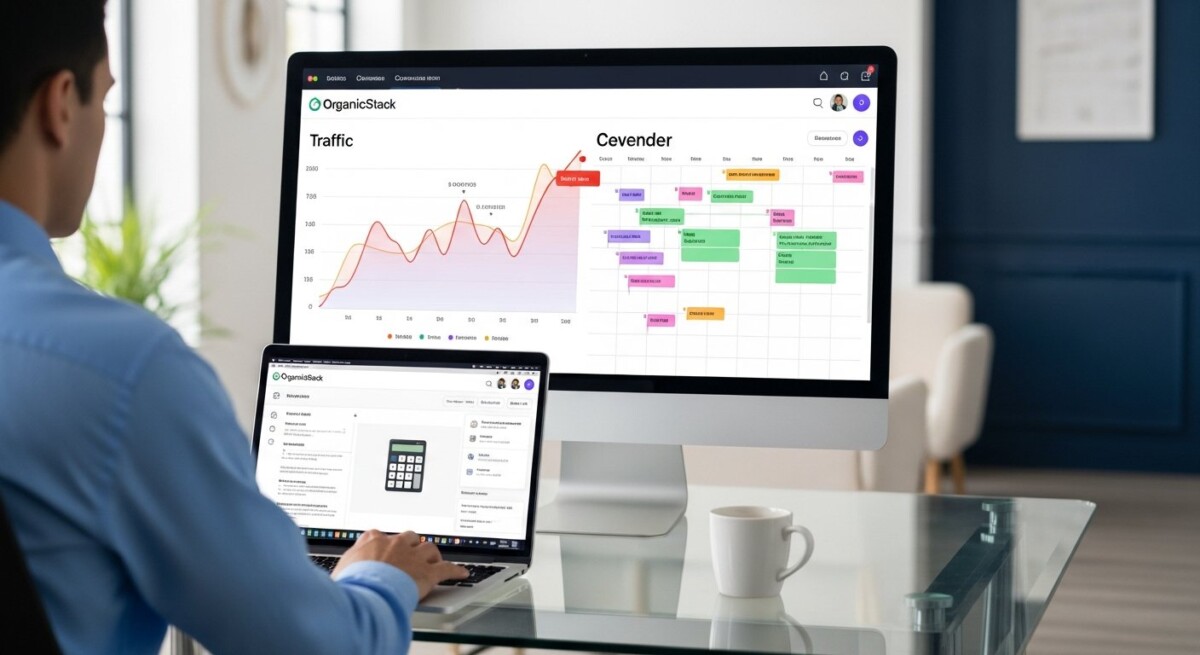
    Data Collection: The first step is gathering data from your WordPress site. This includes post metadata, performance metrics from analytics tools, and SEO data from plugins like Yoast or Rank Math. Automated tools can pull this information via APIs, eliminating the need for manual spreadsheet entry. OrganicStack, for example, connects directly to your WordPress sites and aggregates performance data in a single dashboard.

    Analysis: Once you have the data, AI algorithms can analyze it to identify patterns. For instance, AI can detect which topics are losing traffic, which posts have high bounce rates, and which keywords have dropped in rankings. It can also assess content quality by checking for readability, keyword density, and internal link distribution. This analysis goes far beyond what a human can do manually in a reasonable time.

    Action: The final component is taking action based on the analysis. AI can suggest specific changes, such as updating a statistic, adding new internal links, or rewriting a weak section. Some tools can even generate refreshed content automatically, which you can review and publish with a single click. This end-to-end automation saves hours of work each month.

    Key Metrics to Track in an Automated Refresh

    Not all content is equal. When automating your content audit refresh, focus on the metrics that directly impact your SEO and business goals. Here are the most important ones to include in your automated workflow:

    • Organic traffic trends: Identify posts that are losing visitors over time. These are prime candidates for refresh.
    • Keyword ranking changes: Track positions for target keywords. A drop from page 1 to page 2 signals an opportunity to update the content.
    • Bounce rate and dwell time: High bounce rates may indicate that the content does not match user intent or is outdated.
    • Internal link health: Check for broken links or orphaned pages. AI can automatically suggest relevant internal links to improve site structure.
    • Content freshness score: Some AI tools assign a freshness score based on when the post was last updated and how much of the information is still accurate.

    By tracking these metrics, you can prioritize your efforts. A post that once generated significant traffic but is now declining is a high-value target. Similarly, a page with strong rankings but outdated statistics should be refreshed to maintain its position. Automated dashboards make it easy to see these opportunities at a glance.

    Building a Workflow for Automated Content Audit Refresh

    Creating an automated workflow requires careful planning. The goal is to set up a system that runs on a schedule, identifies content that needs attention, and either suggests updates or applies them directly. Here is a step-by-step framework to build your own automated content audit refresh process using WordPress AI tools.

    Step 1: Install a Multi-Site Management Platform
    If you manage more than one WordPress site, a platform like OrganicStack is essential. It allows you to connect all your sites through a single dashboard. The OrganicStack Publisher Plugin handles the connection securely, giving you centralized control over content creation and auditing.

    Step 2: Define Your Audit Criteria
    Decide what constitutes a post that needs refresh. For example, you might set rules such as: refresh any post older than 12 months that has lost more than 20 percent of its traffic, or update any page ranking on page 2 of search results for its primary keyword. These criteria can be configured in your automation tool.

    Step 3: Use AI to Analyze and Prioritize
    Leverage AI models like OpenAI or Gemini (which OrganicStack supports) to analyze your content. The AI can scan each post for outdated references, weak structure, or missing keywords. It can then generate a refresh report that highlights specific changes needed, such as updating a date, adding a new section, or improving the meta description.

    Step 4: Schedule Refreshes Automatically
    Once the AI has identified priority posts and generated suggestions, you can schedule the refresh. OrganicStack’s smart scheduling feature lets you set dates and times for updates. The system will rewrite the content based on your approved guidelines and publish it automatically. You retain full editorial control, but the heavy lifting is done by the machine.

    Step 5: Monitor Results and Iterate
    After the refresh, track the performance of the updated posts. Did traffic improve? Did rankings recover? Use this data to refine your criteria and AI prompts. Over time, your automated system becomes more intelligent, learning what types of updates yield the best results.

    Overcoming Common Challenges in Automation

    Automating a content audit refresh is powerful, but it comes with challenges. One common issue is data quality. If your analytics are not properly configured, the AI may make decisions based on incomplete or inaccurate information. Ensure that your tracking codes are correctly installed and that your WordPress site is sending clean data to your analytics platform.

    Another challenge is maintaining brand voice. AI-generated content can sometimes sound generic or miss the nuances of your brand. To overcome this, provide the AI with detailed instructions, including tone guidelines, preferred vocabulary, and examples of your best content. Most advanced platforms allow you to customize the AI’s output style.

    Finally, there is the risk of over-automation. Not every post needs to be refreshed. Some content performs well for years without changes. Use your audit criteria to focus only on posts that truly need attention. This prevents unnecessary edits and keeps your site stable.

    Tools and Technologies That Enable This Automation

    Several tools can help you automate content audit refresh in WordPress AI. OrganicStack is a leading solution because it combines content generation, scheduling, and multi-site management in one platform. It supports bring-your-own-keys plans for users who want to use their own AI API keys, as well as all-inclusive plans for those who prefer a bundled approach.

    Other useful technologies include analytics plugins like MonsterInsights or Google Site Kit, which feed data into your automation system. SEO plugins like Rank Math or Yoast provide on-page analysis that can be integrated into your audit workflow. For advanced users, custom scripts using the WordPress REST API can pull and push data between tools.

    Regardless of the tools you choose, the key is integration. Your audit system should seamlessly connect your WordPress site, analytics, AI models, and publishing workflow. This creates a closed loop where data flows from your site to the AI and back without manual intervention.

    Best Practices for Long-Term Success

    To get the most out of your automated content audit refresh, follow these best practices. First, run audits quarterly rather than annually. The digital landscape changes fast, and waiting a full year can allow your content to become significantly outdated. Quarterly refreshes keep your site competitive without overwhelming your team.

    Second, combine automation with human oversight. AI is excellent at identifying patterns and generating drafts, but a human editor should review significant changes before they go live. This ensures accuracy and preserves the unique voice of your brand. Think of AI as your assistant, not your replacement.

    Third, use the insights from your audits to inform your future content strategy. If you notice that a particular topic consistently loses traffic after six months, consider creating evergreen content that is more resistant to decay. Alternatively, you might decide to create a series of update posts that you refresh on a rolling schedule.

    Finally, document your process. Write down the criteria you use, the AI prompts you employ, and the steps for reviewing and approving changes. This documentation helps onboard new team members and ensures consistency even as your tools evolve.

    Measuring the Impact of Your Automated Audits

    After implementing an automated content audit refresh, you need to measure its impact. The most obvious metric is organic traffic growth. Compare the traffic of refreshed posts against their pre-refresh performance. Look for trends over several months, as SEO improvements often take time to materialize.

    Another important metric is the time saved. Track how many hours your team previously spent on manual audits and compare it to the time spent now. This quantifies the ROI of your automation investment. For agencies, this time can be redirected to higher-value activities like strategy development or client acquisition.

    Also monitor user engagement metrics. If your refreshed content includes better internal links or updated multimedia, you should see improvements in average session duration and pages per session. These signals tell you that the content is more valuable to readers.

    By consistently measuring these outcomes, you can refine your automation strategy. You might discover that certain types of content benefit more from refresh than others, or that your AI prompts need adjustment. Continuous improvement is the hallmark of a mature automated system.

    Automating your content audit refresh in WordPress AI is not just about saving time. It is about building a sustainable content strategy that adapts to changes and consistently delivers value to your audience. With the right tools and workflow, you can keep your site at peak performance without burning out your team. Start small, measure your results, and scale from there.

  • Scale WordPress Content With AI Personalization

    Scale WordPress Content With AI Personalization

    Imagine a visitor landing on your WordPress site and seeing content that feels like it was written just for them. Headlines that match their search intent. Product recommendations aligned with their browsing history. Calls to action that resonate with their stage in the buyer journey. This is not a distant future. It is the reality of AI content personalization at scale WordPress, and it is transforming how agencies, marketers, and site owners engage audiences without burning out their teams.

    Personalization has long been the holy grail of digital marketing. But for most WordPress site owners, the dream collided with a hard wall: manual effort. Segmenting audiences, writing variations of every page, and updating content for different user groups is simply not sustainable when you manage one site, let alone dozens for clients. Enter artificial intelligence. AI now makes it possible to deliver personalized experiences across hundreds of pages and multiple sites simultaneously. And when you combine AI with a platform built for scale, you unlock a content engine that grows traffic while reducing human overhead.

    This article walks through how to implement AI content personalization at scale WordPress, the technologies that make it work, and the practical steps you can take today. Whether you run an SEO agency, manage a portfolio of affiliate sites, or oversee content for a growing business, the strategies here will help you turn generic content into a tailored experience that drives conversions.

    Why Personalization Matters for WordPress Sites

    Generic content is losing its edge. Search engines increasingly reward pages that match user intent, and visitors expect relevance from the moment they click. A study by McKinsey found that personalization can reduce acquisition costs by as much as 50 percent, lift revenue by 5 to 15 percent, and increase marketing spend efficiency by 10 to 30 percent. For WordPress site owners, this means that tailoring content to specific audience segments is no longer a nice-to-have. It is a competitive necessity.

    WordPress powers over 40 percent of all websites, making it the most popular content management system in the world. Yet many of those sites serve the same content to every visitor. The opportunity cost is enormous. When a first-time visitor sees the same homepage as a returning customer, you miss the chance to guide them toward their next logical action. AI personalization solves this by dynamically adjusting content based on user behavior, location, device, referral source, and even past interactions with your site.

    Consider an affiliate marketer who runs a site reviewing productivity tools. A visitor coming from a search for “best project management software for remote teams” has a different intent than someone searching for “cheap task management apps.” With AI personalization, the headline, featured products, and even the body text can shift to match each query. The result is higher engagement, lower bounce rates, and more affiliate conversions. This is the core promise of AI content personalization at scale WordPress: relevance at every touchpoint, without manual rewriting.

    The Technical Foundation: AI and WordPress Integration

    To personalize content at scale, you need three components working together. First, a data layer that captures user signals. Second, an AI engine that interprets those signals and decides what content to show. Third, a publishing system that can execute those decisions across your WordPress sites. OrganicStack provides this infrastructure by combining AI-powered content generation with multi-site management, all from a single dashboard.

    The OrganicStack Publisher Plugin connects your WordPress sites to the platform, enabling centralized control over content creation, scheduling, and publishing. This plugin is the bridge that allows AI to write and deploy personalized articles, product descriptions, or landing pages across multiple domains. When you configure AI models like OpenAI, Gemini, or DeepSeek within OrganicStack, you can generate content that adapts to different audience segments based on the keywords and topics you specify.

    Here are the key technical elements that make AI content personalization at scale WordPress possible:

    • Keyword intelligence: OrganicStack analyzes search data to identify variations and related terms, allowing you to target multiple intents with tailored content.
    • Smart scheduling: Content can be queued to publish at optimal times for different audience segments, ensuring relevance when users are most active.
    • Built-in on-page SEO: Headings, meta descriptions, and internal links are automatically optimized for each piece of content, supporting personalized search visibility.
    • IndexNow integration: New personalized pages are indexed quickly, so search engines discover your tailored content without delay.
    • Role-based access: Agencies can assign different permissions to team members, ensuring that personalization strategies remain consistent across client accounts.

    These features work together to remove the friction from scaling personalized content. Instead of logging into each WordPress site to tweak individual pages, you define your personalization rules once and let the platform handle execution. This is the operational advantage that separates agencies that grow from those that stay stuck managing manual workflows.

    Building a Personalization Strategy for Your Audience

    Technology alone is not enough. You need a clear strategy for how you will segment your audience and what personalized content you will deliver. Start by identifying the signals that matter most for your business. For an SEO agency, this might mean creating different content for prospective clients versus existing clients. For an affiliate site, the segmentation could be based on search intent: informational, commercial, or transactional.

    Once you define your segments, map each one to specific content types. A visitor in the awareness stage might see blog posts and educational guides. A visitor ready to purchase might see comparison tables and product reviews. AI can generate these variations quickly, but you need to provide the framework. OrganicStack’s keyword intelligence tool helps here by surfacing the phrases your different segments are searching for, so you can direct the AI to create content that matches each intent.

    Another powerful tactic is location-based personalization. If you run a multi-site WordPress network for a brand with regional offices, you can generate unique content for each geographic audience. The AI can adjust local references, currency, and even cultural nuances. OrganicStack’s multi-site management makes this straightforward because you control all sites from one dashboard, and the plugin handles deployment to each domain.

    In our guide on AI content marketing predictions for 2026 SEO, we explain how personalization is expected to become a ranking factor as search engines get better at understanding user satisfaction signals. Starting your personalization efforts now positions your sites to benefit from these algorithm shifts rather than scrambling to catch up later.

    Overcoming Common Challenges at Scale

    Scaling personalization introduces challenges that can derail even well-planned initiatives. The first is content quality. When AI generates hundreds of personalized pages, there is a risk of producing thin or repetitive content that harms SEO. OrganicStack addresses this by allowing you to set quality parameters, including word count minimums, tone guidelines, and topic relevance rules. The platform also generates publication reports that show you how each piece is performing, so you can refine your approach.

    The second challenge is consistency. Personalized content should feel unique to each visitor, but it must also maintain brand voice and factual accuracy. OrganicStack’s built-in on-page SEO features help by standardizing elements like headings and meta descriptions across all generated content. You can also create templates that define the structure of your personalized pages, ensuring that the AI stays within your brand guidelines.

    A third challenge is technical integration. Many WordPress site owners worry that personalization plugins will slow down their sites or conflict with existing themes. The OrganicStack Publisher Plugin is designed to be lightweight and compatible with most modern WordPress setups. Because content is generated and published from the cloud, there is minimal impact on your server resources. This is especially important for agencies managing high-traffic sites where performance cannot be compromised.

    Finally, there is the challenge of measurement. How do you know if your personalization efforts are working? OrganicStack provides analytics that track page views, engagement, and conversions across your sites. By comparing the performance of personalized content against generic versions, you can calculate the lift in key metrics and justify the investment to clients or stakeholders. This data-driven approach turns personalization from a guess into a repeatable growth strategy.

    Practical Steps to Implement AI Personalization Today

    Getting started with AI content personalization at scale WordPress does not require a massive upfront investment. Here is a step-by-step process that you can begin implementing within hours, not weeks.

    1. Install the OrganicStack Publisher Plugin on the WordPress sites you want to personalize. This connects your sites to the platform and enables centralized management.
    2. Configure your AI model by selecting from options like OpenAI, Gemini, or DeepSeek. If you have existing API keys, you can use the Bring-Your-Own-Keys plan to control costs.
    3. Define your audience segments based on keywords, locations, or referral sources. Use OrganicStack’s keyword intelligence to identify the phrases each segment uses.
    4. Create content templates that specify the structure of your personalized pages. Include placeholders for dynamic elements like headlines and calls to action.
    5. Generate and schedule your personalized content. Set the AI to produce variations for each segment, then use smart scheduling to publish them at optimal times.
    6. Monitor performance through the platform’s analytics dashboard. Adjust your templates and segmentation rules based on what the data tells you.

    This process can be repeated for each new campaign or client account. Because OrganicStack supports multi-site management, you can scale this workflow across dozens of WordPress installations without adding headcount. The platform’s role-based access also allows you to delegate tasks to team members while maintaining control over quality and branding.

    For agencies, this workflow is particularly powerful. You can onboard a new client, analyze their audience, generate personalized content, and begin publishing within a single day. The predictable pricing of OrganicStack’s plans means you know your costs upfront, whether you choose an all-inclusive plan with bundled AI credits or a BYO plan where you supply your own API keys. This transparency makes it easier to budget for personalization initiatives and demonstrate ROI to clients.

    The Future of Personalized WordPress Content

    AI content personalization at scale WordPress is still in its early stages, but the trajectory is clear. As AI models become more sophisticated, they will be able to personalize content in real time based on live user behavior rather than pre-defined segments. Imagine a site that rewrites its homepage for every visitor based on their click path and time on page. This level of dynamic personalization is already possible with platforms like OrganicStack, and it will only become more accessible as the technology matures.

    Another emerging trend is the use of AI to personalize content across the entire user journey, from search results to email follow-ups. By integrating OrganicStack with other marketing tools, you can create a unified personalization engine that delivers consistent messages on your site, in your emails, and on social media. This omnichannel approach increases the likelihood of conversion because every touchpoint reinforces the same tailored message.

    Privacy regulations like GDPR and CCPA are also shaping the future of personalization. AI systems that rely on first-party data rather than third-party cookies are becoming essential. OrganicStack’s approach to personalization is built on the content you control and the data you collect through your own sites, making it compliant with privacy laws while still delivering relevant experiences. This is a critical advantage as browsers phase out third-party tracking and consumers demand greater transparency.

    The bottom line is that personalization is no longer reserved for enterprises with massive budgets and dedicated engineering teams. Tools like OrganicStack have democratized access to AI-powered content personalization, putting it within reach of small agencies, solo entrepreneurs, and growing businesses. By adopting these strategies now, you can build a competitive edge that compounds over time as your personalized content library grows and your understanding of your audience deepens.

    Start small. Pick one audience segment and one site. Generate a handful of personalized pages and measure the results. Once you see the lift in engagement and conversions, expand to more segments and more sites. The technology is ready. The only question is whether you will act before your competitors do.

  • AI Prompt Engineering for SEO-Optimized WordPress Articles

    AI Prompt Engineering for SEO-Optimized WordPress Articles

    Creating content that ranks on Google while resonating with readers has always been a balancing act. Now, with AI writing tools at your fingertips, the bottleneck has shifted from typing speed to the quality of your instructions. This is where AI prompt engineering for SEO-optimized WordPress articles becomes the single most important skill for content teams and agencies. A well-crafted prompt can turn a generic AI output into a publish-ready, keyword-rich post that drives organic traffic. In this guide, we will break down exactly how to structure prompts, integrate SEO signals, and use platforms like OrganicStack to automate the entire pipeline from idea to publication.

    Why Prompt Engineering Matters for WordPress SEO

    A raw AI generator without a strong prompt is like a car without a steering wheel. It will produce text, but it might miss your target keywords, ignore your brand voice, or generate content that feels generic. For WordPress site owners, this is a critical problem. Search engines reward content that matches user intent, includes semantic relevance, and demonstrates topical authority. Prompt engineering bridges the gap between a language model’s capabilities and your specific SEO goals.

    When you master prompt engineering, you can instruct the AI to include exact-match keywords, maintain a specific reading level, structure content with proper heading hierarchy, and even suggest internal links. This reduces post-editing time dramatically. For agencies managing multiple WordPress sites, this efficiency translates directly into lower cost per article and faster scaling. In our guide on Answer Engine Optimization for AI-Generated WordPress Articles, we explain how modern search engines prioritize structured, authoritative content. Prompt engineering is the tool that helps you achieve that structure every time.

    Core Components of an SEO-Focused Prompt

    To get consistent, high-quality results, your prompts must include several key elements. Treat each prompt as a mini-brief for a virtual writer. The more context you provide, the better the output will align with your SEO strategy.

    Keyword Placement and Frequency

    Explicitly tell the AI which primary and secondary keywords to use. Specify where they should appear: in the H1, the first paragraph, at least one H2 heading, and naturally throughout the body. For example, instead of saying “write about AI content,” say “write a 1500-word article targeting the keyword ‘AI prompt engineering for SEO-optimized WordPress articles.’ Include this exact phrase in the first 100 words and again in a subheading.” This level of specificity prevents the AI from drifting off-topic.

    Structure and Formatting Instructions

    Search engines favor scannable content. Your prompt should request a clear heading hierarchy (H2 and H3 only), short paragraphs of 2-4 sentences, and the strategic use of bullet points or numbered lists. You can also ask the AI to include a meta description placeholder and an excerpt. This ensures that every piece of content is optimized before it even touches your WordPress editor.

    Tone and Audience Targeting

    Define who you are writing for. Is the reader a solo blogger, an SEO agency owner, or a marketing manager at a small business? The prompt should reflect that. For instance: “Write in a professional, authoritative tone suitable for agency owners who manage 10+ WordPress sites. Avoid fluff and focus on actionable steps.” This prevents the AI from producing overly casual or overly academic text that doesn’t match your brand.

    Crafting a Prompt Template for WordPress Articles

    Rather than writing a custom prompt from scratch each time, build a reusable template that you can adapt for different topics. This template should include the following sections:

    • Role assignment (e.g., “You are an experienced SEO content strategist”)
    • Target keyword and related LSI terms
    • Word count and structure requirements
    • Specific inclusion requests (e.g., “Include a table comparing X and Y”)
    • Exclusion rules (e.g., “Do not use em dashes or smart quotes”)

    Once you have a solid template, you can feed it into a tool like OrganicStack’s AI content generator. The platform allows you to configure API keys for models like OpenAI or Gemini, and then apply your custom prompts to generate articles at scale. This transforms prompt engineering from a manual task into a repeatable, automated workflow. The result is consistent quality across hundreds of articles, all optimized for your target keywords.

    Integrating SEO Signals into the Prompt

    Beyond keywords, modern SEO relies on entities, internal linking, and user experience signals. Your prompts should instruct the AI to include these elements. For example, ask the AI to “naturally mention related concepts like content automation, multi-site management, and organic traffic growth within the article.” This builds topical depth, which search engines reward.

    Internal linking is another critical signal. In your prompt, include a placeholder like “[Insert internal link to related article on answer engine optimization].” After generation, you can replace the placeholder with a real link. This ensures that every article contributes to your site’s link equity and helps readers navigate to deeper content. For agencies using OrganicStack’s smart interlinking feature, this step can even be automated at the platform level.

    Automating the Workflow with OrganicStack

    Manual content creation, even with AI assistance, can become a bottleneck when you need to publish 20 or 30 articles per week across multiple client sites. This is where a dedicated platform like OrganicStack adds immense value. It centralizes the entire process: you define your prompts and keyword lists, configure your WordPress sites via the OrganicStack Publisher Plugin, and then schedule bulk generation and publishing.

    The platform’s keyword intelligence feature helps you identify which terms to target, and its built-in on-page SEO checks ensure that every article meets basic optimization standards before going live. By combining solid prompt engineering with automated scheduling, you can maintain a consistent publishing cadence that signals authority to search engines. The platform also supports IndexNow, which automatically notifies search engines when new content is published, reducing the time it takes for your articles to appear in search results.

    Measuring and Iterating on Prompt Performance

    Prompt engineering is not a set-it-and-forget-it activity. You need to track how generated articles perform in search rankings and organic traffic. Use OrganicStack’s publication reports and analytics to see which articles drive the most engagement. If a certain prompt consistently produces high-ranking content, analyze what made it successful. Was it the keyword density? The inclusion of a specific type of list? The tone?

    Iterate your prompts based on this data. For example, if you notice that articles with a “step-by-step” structure perform better, add that instruction to your template. If a particular secondary keyword drives traffic, include it in future prompts. This continuous improvement loop ensures that your AI content strategy remains effective as search algorithms evolve.

    Overcoming Common Prompt Engineering Pitfalls

    Even experienced users encounter issues. One common problem is the AI generating content that is too generic or lacks unique insights. To fix this, add a context paragraph in your prompt that describes a specific scenario or problem your audience faces. For example: “Your reader is an agency owner whose clients are demanding faster content delivery. Explain how prompt engineering can reduce their article turnaround time by 50 percent.” This forces the AI to produce actionable, relevant content rather than generic advice.

    Another pitfall is keyword stuffing. If you ask the AI to include a keyword too many times, the output can sound unnatural and may trigger search engine penalties. Instead, instruct the AI to use synonyms and related terms (LSI keywords) alongside the primary phrase. This creates semantic richness without sacrificing readability. For instance, alongside “AI prompt engineering for SEO-optimized WordPress articles,” the AI could use phrases like “content automation prompts,” “SEO writing instructions,” or “AI-driven article structuring.”

    Scaling Prompt Engineering for Enterprise Needs

    For large agencies and enterprises, managing prompts across dozens of clients and niches requires organization. Create a prompt library categorized by content type (blog posts, product descriptions, listicles) and by industry. This allows you to quickly adapt a proven prompt for a new client. OrganicStack’s role-based access and multi-site management make it easy to assign different prompt templates to different client accounts, ensuring brand consistency.

    You can also use the platform’s smart scheduling feature to publish articles at optimal times for each site. Combine this with your prompt library, and you have a scalable content engine that runs largely on autopilot. The key is to invest time upfront in crafting high-quality prompts. That initial effort pays dividends in the form of consistent, ranking content that grows organic traffic month over month.

    Future-Proofing Your AI Content Strategy

    Search engines are becoming better at evaluating content quality, not just keywords. As AI-generated content becomes more common, the difference between high-ranking and low-ranking articles will come down to depth, originality, and user value. Prompt engineering is your tool for maintaining that edge. By continuously refining how you instruct AI models, you ensure that your WordPress articles remain competitive.

    Platforms like OrganicStack are evolving alongside these trends. They now offer features like answer engine optimization, which prepares your content for AI-driven search results and voice queries. By integrating these capabilities into your prompt engineering workflow, you position your content to capture traffic from multiple search modalities. The future of content marketing belongs to those who can combine human strategic thinking with the speed of AI automation. Prompt engineering is the bridge between the two.

  • How to Measure ROI of AI-Generated Content for SEO

    How to Measure ROI of AI-Generated Content for SEO

    You have invested in AI content tools, and your WordPress sites are publishing more articles than ever. But is the output actually driving traffic, leads, and revenue? Without a clear framework for measuring ROI of AI-generated content for SEO, you are essentially flying blind. Many marketers assume that more content equals more growth, but the relationship between volume and value is not automatic. To justify the spend on AI tools, subscription plans, and API credits, you need a systematic approach that connects content production to business outcomes. This article provides that framework, with actionable metrics, calculation methods, and practical steps to ensure every AI-generated article contributes to your bottom line.

    Why ROI Measurement Matters for AI Content

    AI content generation platforms like OrganicStack allow you to produce dozens or even hundreds of articles per month across multiple WordPress sites. This scale is a game-changer for SEO agencies, affiliate marketers, and content teams. However, scale without accountability can lead to wasted resources. Measuring ROI helps you answer critical questions: Which topics generate the highest return? Is the quality of AI content comparable to human-written material? Are you overpaying for API credits relative to the traffic you gain?

    Without ROI data, you risk treating content production as a vanity metric. Publishing 100 articles per month means nothing if those pages rank poorly or fail to convert visitors. By establishing a measurement framework, you can optimize your content strategy, allocate budget to high-performing topics, and demonstrate value to stakeholders or clients.

    A robust ROI measurement also informs your choice between all-inclusive plans and bring-your-own-keys (BYO) pricing models. When you know the exact cost per published article and the revenue it generates, you can select the most cost-effective plan on platforms like OrganicStack. This data-driven approach ensures that your investment in AI content automation directly supports your SEO growth goals.

    Building Your ROI Measurement Framework

    To accurately measure ROI of AI-generated content for SEO, you need a structured framework that accounts for costs, traffic, conversions, and revenue. The following steps will help you build a system that works for your specific use case.

    Step 1: Track All Costs

    Your first task is to capture the total cost of producing AI-generated content. This includes more than just the platform subscription. Consider the following expense categories:

    • Platform subscription fees: Monthly or annual costs for tools like OrganicStack, including any overage charges.
    • API usage costs: If you use a BYO plan, track the cost per API call for models like OpenAI, Gemini, or DeepSeek.
    • Human oversight time: Time spent by editors or content managers to review, fact-check, and optimize AI output before publishing.
    • Keyword research tools: Any additional software used for topic selection and SEO analysis.
    • Hosting and infrastructure: The proportional cost of hosting and maintaining your WordPress sites.

    Calculating your total cost per article gives you a baseline for ROI analysis. For example, if your monthly AI content costs are $500 and you publish 50 articles, your cost per article is $10. This number becomes the denominator in your ROI equation.

    Step 2: Measure Organic Traffic and Engagement

    Once your articles are live, track their performance using Google Analytics, Google Search Console, and OrganicStack’s built-in publication reports. Key metrics include organic sessions, page views, average time on page, and bounce rate. These indicators show whether your content attracts and retains readers.

    Segment your traffic by content source (AI-generated vs. human-written) to compare performance. Use UTM parameters or custom tags in your content management system to label each article. Over a period of 30 to 90 days, you will see which articles gain traction and which underperform. This data helps you refine your topic selection and content briefs for future AI generation.

    It is important to note that some AI-generated articles may take longer to rank, especially if your site is new or the topics are highly competitive. Give each piece at least three months before judging its performance. Patience combined with consistent measurement yields the most accurate ROI picture.

    Step 3: Assign Monetary Value to Conversions

    Traffic alone does not equal ROI. You must connect visits to tangible business outcomes. Define what a conversion means for your site: a newsletter signup, an affiliate link click, a product purchase, or a contact form submission. Assign an average monetary value to each conversion type.

    For affiliate marketers, this step is straightforward. Track the commission earned from each article using affiliate network dashboards or tools like Google Analytics enhanced ecommerce. For SaaS companies or agencies, calculate the lifetime value (LTV) of a lead generated through content. If your average lead converts at 5% and each customer is worth $1,000, then each lead is worth $50. Multiply this by the number of leads from AI-generated content to estimate revenue.

    OrganicStack’s integration with WordPress makes it easy to add call-to-action buttons, affiliate links, and interlinking strategies directly within your AI-generated articles. This built-in functionality helps you maximize conversions from every piece of content.

    Step 4: Calculate ROI Using a Simple Formula

    Now you have the data needed for the calculation. Use this formula:

    ROI (%) = ((Revenue from AI content minus Total cost of AI content) / Total cost of AI content) x 100

    For example, if you spent $500 on AI content production and generated $2,000 in revenue from those articles, your ROI is 300%. This means for every dollar spent, you earned three dollars back. A positive ROI confirms that your AI content strategy is profitable. A negative ROI signals the need to adjust your approach, perhaps by focusing on higher-converting topics or reducing production costs.

    Track this metric monthly and quarterly to identify trends. You may find that certain content clusters, such as long-tail informational guides or product comparison posts, consistently deliver higher ROI. Double down on those areas while pausing or optimizing low-performing content.

    Key Metrics to Monitor Beyond Basic ROI

    While the simple ROI formula provides a high-level view, deeper metrics reveal the nuances of content performance. Incorporate these into your dashboard for a more complete analysis.

    • Cost per click (CPC) from organic search: Divide total content cost by the number of organic clicks. This shows how efficiently your content earns search visits compared to paid ads.
    • Revenue per article: Track the total revenue generated by each individual article over its lifetime. This helps you identify your top-performing assets.
    • Time to first ranking position: Measure how quickly AI-generated content reaches page one of search results. Faster rankings mean quicker ROI.
    • Indexing rate: Use OrganicStack’s IndexNow feature to ensure your articles are indexed promptly. Delayed indexing delays ROI.
    • Share of voice: Compare your ranking positions for target keywords against competitors. Growing share of voice indicates that your AI content is improving your site’s authority.

    These metrics give you actionable insights beyond the bottom line. For instance, if your cost per click is lower than your average CPC from Google Ads, you have proof that AI content is a more efficient traffic source. Share this data with clients or stakeholders to justify continued investment in content automation.

    Common Pitfalls in Measuring AI Content ROI

    Even with a solid framework, mistakes can distort your ROI calculations. Avoid these common errors to maintain accuracy.

    Ignoring long-tail attribution: Many AI-generated articles target low-volume, long-tail keywords that convert at higher rates. Do not dismiss an article that drives only 50 visits per month if those visits result in several sales. Use multi-touch attribution models to capture these contributions.

    Comparing apples to oranges: When comparing AI content to human-written content, ensure the topics and keyword difficulty levels are similar. Comparing a high-competition human-written pillar page to a low-competition AI article is not a fair test. Create matched pairs of content for accurate comparison.

    Neglecting content decay: SEO content loses ranking power over time. Re-optimize and refresh your AI articles periodically. Include the cost of updates in your ongoing ROI calculations. OrganicStack’s smart scheduling feature can help you plan content refreshes without manual effort.

    Overlooking opportunity cost: The time your team spends on manual content tasks could be redirected to strategy, outreach, or client work. Factor in the value of time saved through automation. Even if direct revenue from AI content is modest, the efficiency gains may justify the investment.

    By avoiding these pitfalls, your ROI measurements will reflect the true impact of AI content on your business.

    Using ROI Data to Optimize Your AI Content Strategy

    Once you have reliable ROI data, use it to refine every aspect of your content operation. Start with topic selection. Analyze which subjects generate the highest ROI and create more content in those areas. For example, if your comparison articles (e.g., “Tool A vs. Tool B”) consistently outperform tutorial posts, allocate more AI credits to comparison content.

    Next, optimize your content briefs. Provide your AI tool with more specific instructions based on what works. If articles with a certain tone, structure, or word count perform better, adjust your prompts accordingly. OrganicStack’s keyword intelligence features can feed high-performing keyword variations directly into your content generation, increasing the likelihood of success.

    Also consider your publishing cadence. ROI data may reveal that publishing five high-quality articles per week generates more revenue than ten lower-quality pieces. Quality trumps quantity when it comes to ROI. Use the data to find the sweet spot for your niche.

    Finally, use ROI insights to choose the right pricing plan. If your cost per article is low and your ROI is high, an all-inclusive plan may offer the best value. If you need maximum flexibility with API keys, a BYO plan could reduce costs further. Review your ROI data quarterly and adjust your subscription tier on OrganicStack to align with your actual usage and returns.

    Case Study: From Zero to Positive ROI in 90 Days

    Consider a hypothetical agency that manages 10 WordPress sites for clients in the home improvement niche. They adopted OrganicStack to scale content production. In the first month, they spent $600 on the Growth plan and produced 80 articles. After 60 days, only 40 articles had ranking positions on page two or higher. The agency was skeptical about ROI.

    However, by month three, 25 of those articles had moved to page one, and the total organic traffic across all client sites increased by 340%. The articles with the highest ROI were local service guides and product comparison posts. The agency calculated a cost per article of $7.50 and a revenue per article of $45 from affiliate commissions and lead generation. Their ROI for the quarter was 500%.

    This case illustrates that measuring ROI of AI-generated content for SEO requires patience and a willingness to let content mature. The agency used the data to double down on local guides, adjust their keyword briefs, and eventually upgrade to the Scale plan to handle 200 articles per month. Their ROI continued to climb as they refined their process.

    For a deeper look at how long-tail keywords can fuel this kind of growth, read our guide on AI long-tail keyword research for WordPress SEO. It explains how to identify the high-converting topics that drive ROI.

    Automating ROI Tracking with Your Tech Stack

    Manual tracking is tedious and prone to error. Leverage technology to automate your ROI measurement. Connect Google Analytics and Search Console to a dashboard tool like Google Looker Studio or Databox. Import your content cost data from OrganicStack’s billing dashboard. Use UTM parameters and custom dimensions to tag all AI-generated content.

    Set up automated reports that update weekly or monthly. Include the key metrics discussed earlier: cost per article, organic traffic, conversion rate, revenue, and ROI percentage. Share these reports with your team or clients to demonstrate the value of your AI content program.

    OrganicStack’s publication reports provide a starting point by showing which articles are published, their word count, and their indexing status. Combine this with external analytics for a complete picture. As your content library grows, automated tracking becomes essential for maintaining accurate ROI data without manual spreadsheet work.

    Looking ahead, the landscape of AI content continues to evolve. To stay informed about upcoming trends and their impact on ROI, check out our article on AI content marketing predictions for 2026 SEO. It covers shifts in search algorithms and content consumption that could affect your measurement strategy.

    Measuring ROI of AI-generated content for SEO is not a one-time exercise. It is an ongoing process that informs every decision from topic selection to platform choice. Start with the framework outlined here, track your data consistently, and let the numbers guide your content automation strategy. The result is a scalable, profitable content engine that delivers measurable growth for your business or your clients.

  • How to Measure AI Content Performance With Analytics

    How to Measure AI Content Performance With Analytics

    You have published dozens of AI-generated posts across your WordPress sites. Traffic trickles in, but you cannot tell which articles actually drive results. Without data, you are guessing. The difference between a content strategy that works and one that wastes resources comes down to one thing: measurement. Understanding content performance analytics for AI-generated posts is the only way to know what is working, what needs improvement, and where to focus your next batch of automated content.

    Many marketers assume that AI content is a set-it-and-forget-it solution. They generate articles, schedule them, and hope for the best. But search engines reward relevance, user engagement, and authority. AI can produce text at scale, but it cannot guarantee performance. That is where analytics come in. By tracking the right metrics and acting on the data, you can turn a generic AI content library into a high-performing asset that builds organic traffic month after month.

    This article will walk you through the specific metrics that matter for AI-generated posts, the tools you need to track them, and a repeatable framework for optimizing your content based on real performance data. Whether you manage one site or fifty, these principles will help you scale smarter. In our guide on AI-generated content for niche affiliate sites, we explain how to build a foundation for scalable publishing. Now let us look at how to measure and improve that content over time.

    Why Standard Analytics Fall Short for AI Content

    Traditional content analytics focus on pageviews, bounce rate, and time on page. For human-written articles, these metrics offer a reasonable picture of performance. But AI-generated posts behave differently. They often target long-tail keywords with lower search volume. They may rank quickly for niche queries but struggle to hold positions. They also face scrutiny from Google’s helpful content systems, which can penalize content that lacks depth or original insight.

    Because of these dynamics, you need a more nuanced approach. Pageviews alone will not tell you if an AI article is earning trust or generating conversions. You need to layer in metrics like click-through rate from search results, keyword position stability over time, and engagement signals such as scroll depth or comments. Content performance analytics for AI-generated posts must account for the unique strengths and weaknesses of machine-written content.

    Another gap is attribution. Standard analytics tools often fail to connect a specific AI-generated article to a conversion or lead. You may see that a post brought in traffic, but you cannot tell if that visitor signed up for your newsletter or purchased a product. Setting up proper conversion tracking and UTM parameters for each AI post is essential. Without it, you are flying blind.

    The Essential Metrics to Track for AI-Generated Posts

    To get a clear picture of how your AI content is performing, focus on a core set of metrics that align with your business goals. These metrics fall into three categories: visibility, engagement, and conversion.

    Visibility Metrics

    Visibility tells you whether your AI posts are being found in search results. The most important visibility metrics include:

    • Keyword rankings: Track the positions of the primary and secondary keywords each post targets. Use a rank tracker to monitor movements weekly.
    • Click-through rate (CTR) from search: A high ranking means nothing if searchers do not click. Low CTR often indicates a weak title or meta description.
    • Impressions: The number of times your post appears in search results. Growing impressions suggest you are gaining visibility for more queries.
    • Indexation status: Ensure every AI-generated post is indexed by Google. Use Google Search Console to check for indexing errors or crawl issues.

    These metrics give you the first signal of whether your AI content is aligned with search intent. If impressions are high but CTR is low, your title needs rewriting. If rankings are falling, the content may be too thin or not authoritative enough for the topic.

    Engagement Metrics

    Engagement metrics reveal how users interact with your content once they land on the page. For AI-generated posts, these metrics are critical because they indicate whether the content feels natural and helpful to a human reader.

    • Average time on page: A good benchmark for informational posts is 2-3 minutes. Lower times may indicate the content does not match the query.
    • Bounce rate: High bounce rates (above 70 percent) suggest that visitors do not find what they expected. For AI content, this can happen when the writing feels generic or fails to answer the question fully.
    • Scroll depth: Measure how far down the page visitors scroll. If most users leave before reaching the middle, your opening may not hook them.
    • Internal link clicks: Track how many visitors click on links to other pages on your site. This signals that the content is guiding users deeper into your site.

    Engagement data helps you identify which AI posts feel authentic and which ones read like fluff. Posts with strong engagement are candidates for further optimization and repurposing. Posts with poor engagement may need a rewrite or better formatting.

    Conversion Metrics

    Ultimately, content must drive business results. Conversion metrics connect your AI-generated posts to revenue or lead generation.

    • Goal completions: Set up goals in your analytics tool for actions like newsletter signups, demo requests, or affiliate link clicks.
    • Attributed revenue: For ecommerce or affiliate sites, track which posts generate sales. Use UTM parameters and ecommerce tracking to assign revenue to specific articles.
    • Lead quality: Not all leads are equal. Track whether visitors from AI content convert into qualified leads or low-intent traffic.

    When you track conversions at the post level, you can calculate the return on investment for each article. This allows you to double down on topics that produce revenue and retire or improve posts that do not.

    Tools and Setup for AI Content Analytics

    You do not need an expensive enterprise analytics suite. A combination of free and low-cost tools can give you full visibility into your AI-generated content performance. The key is setting them up correctly from the start.

    Google Search Console is your first essential tool. It provides data on impressions, clicks, CTR, and average position for every indexed URL. Connect each of your WordPress sites to Search Console and monitor the Performance report weekly. Pay special attention to queries where your AI posts appear but receive few clicks. Those are opportunities to improve titles or meta descriptions.

    Google Analytics 4 (GA4) is your second pillar. Set up GA4 on all your sites and configure events for key actions. For example, create a custom event for affiliate link clicks or a conversion event for form submissions. Use GA4’s engagement reports to compare time on page and bounce rate across your AI-generated content versus your human-written posts. This comparison reveals whether your AI content meets the same quality bar.

    For rank tracking, consider tools like Ahrefs, SEMrush, or a simpler solution like Rank Math’s built-in analytics if you use their WordPress plugin. Track your primary keywords weekly and note any sudden drops. A ranking drop often correlates with a Google algorithm update or a competitor publishing better content. React quickly by updating the post with more depth or fresh examples.

    Finally, use a heatmapping tool like Hotjar or Microsoft Clarity to visualize scroll depth and click patterns. This is especially useful for AI-generated posts because it shows you exactly where readers lose interest. If you see a sharp drop-off after the first paragraph, your introduction needs to be rewritten. If readers skip over a section entirely, that section may be too wordy or irrelevant.

    A Framework for Optimizing AI Content Based on Data

    Collecting data is only half the battle. You need a systematic process for turning insights into better content. The following framework works for any scale, from a single blog to a network of 100 sites.

    Step 1: Audit your existing AI posts monthly. Export your top 20 posts by traffic and your bottom 20 posts by traffic. Compare the metrics for each group. Look for patterns in topic, length, keyword difficulty, and engagement. You will often find that posts targeting informational queries with clear structure perform better than posts targeting commercial queries with thin content.

    Step 2: Identify underperformers and prioritize. Not every underperforming post is worth saving. Focus on posts that have decent impressions but low CTR or high bounce rate. These posts have a solid foundation but need optimization. Posts with zero impressions after three months may need a complete rewrite or redirection to a better-performing URL.

    Step 3: Update the content with data-driven changes. For each post you choose to optimize, make specific changes based on the metrics. If CTR is low, rewrite the title and meta description to include the primary keyword closer to the front and add a compelling value proposition. If bounce rate is high, improve the introduction to better match the search intent and add a clear table of contents with anchor links. If time on page is low, break up long paragraphs, add bullet points, and include relevant images or screenshots.

    Step 4: Republish or refresh and track again. After making changes, update the publish date and resubmit the URL to Google Search Console for reindexing. Monitor the same metrics for the next 30 days. You should see improvements in CTR, time on page, and eventually rankings. If you do not, the issue may be deeper than surface-level optimization. In that case, consider merging the post with a related article or replacing it entirely with a new AI-generated piece that targets a slightly different angle.

    This framework turns content performance analytics for AI-generated posts into a continuous improvement loop. Over time, your library of AI content becomes more refined, more authoritative, and more profitable.

    Common Pitfalls and How to Avoid Them

    Even with the right metrics and framework, mistakes can derail your analytics efforts. Here are the most common pitfalls when measuring AI-generated content and how to sidestep them.

    Pitfall 1: Measuring too many metrics. It is tempting to track everything, but that leads to analysis paralysis. Focus on the 5-7 metrics outlined earlier. Add more only after you have a consistent optimization workflow in place.

    Pitfall 2: Ignoring seasonality and trends. A dip in traffic may have nothing to do with content quality. Check whether the topic has seasonal patterns. Use year-over-year comparisons instead of month-over-month to get a clearer picture.

    Pitfall 3: Not segmenting AI content from human content. If you mix both types of content in the same reports, you cannot isolate the performance of your AI-generated posts. Create a custom dimension or label in GA4 to tag each post as AI-generated or human-written. This makes comparison easy and actionable.

    Pitfall 4: Optimizing too quickly. Give each post at least 4-6 weeks to gather data before making changes. AI content often goes through an initial volatility period as Google evaluates its relevance. Making changes too early can confuse the ranking process.

    Pitfall 5: Forgetting about user intent. The best analytics in the world will not save a post that targets the wrong keyword. Before you generate any AI content, research the search intent behind your target keyword. Informational keywords demand thorough explanations. Commercial keywords need product comparisons and clear calls to action. Align your content structure with intent from the start.

    Scaling Analytics Across Multiple Sites

    If you manage content for multiple WordPress sites, scaling your analytics setup is critical. Manually logging into each site’s analytics account is inefficient and error-prone. Instead, centralize your data using a dashboard tool like Google Looker Studio or a dedicated analytics platform that supports multiple properties.

    Create a master dashboard that pulls data from Google Search Console and GA4 for all your sites. Use filters and date ranges to compare performance across sites. This lets you spot which sites have the strongest AI content and which need more attention. You can also identify winning topics that could be repurposed across your network.

    OrganicStack’s platform simplifies this process by integrating publication reports and analytics directly into the content management workflow. When you use OrganicStack to generate and publish AI posts, you can track performance from the same dashboard you use to schedule content. This eliminates the need to switch between multiple tools and reduces the time spent on manual reporting. For agencies and power users, this tight integration between content creation and analytics is a significant efficiency gain.

    Another advantage of centralized analytics is the ability to benchmark your AI content against your own historical data. Over time, you will develop a clear sense of what constitutes a good CTR, average time on page, or conversion rate for your niche. These benchmarks help you set realistic goals and quickly spot anomalies.

    Remember that scaling analytics is not just about tools. It also requires a consistent naming convention for your posts. Use a standardized format for slugs, UTM parameters, and content categories. This ensures that your data remains clean and comparable across sites, even as your content library grows.

    Content performance analytics for AI-generated posts is not a one-time setup. It is an ongoing discipline that separates successful content operations from those that waste time and money. By tracking the right metrics, using the proper tools, and following a repeatable optimization framework, you can turn your AI content into a reliable engine for organic growth. Start with a single site, refine your process, and then scale across your entire network. The data will guide every decision.

  • AI Long-Tail Keyword Research for WordPress SEO

    AI Long-Tail Keyword Research for WordPress SEO

    Traditional keyword research often focuses on high-volume, competitive terms that take months to rank for. For WordPress site owners, agencies, and content creators, a smarter approach lies in targeting specific, low-competition phrases that match user intent. Long-tail keyword research with AI for WordPress SEO transforms this process by automating discovery, analysis, and prioritization of these valuable terms. Instead of guessing what your audience searches for, AI tools analyze real search data, competitor gaps, and semantic relationships to uncover opportunities that drive qualified traffic faster.

    This guide walks you through a practical framework for using AI to find long-tail keywords, optimize your WordPress content, and scale your organic growth. Whether you manage a single blog or multiple client sites, these strategies will help you build a content pipeline that consistently attracts engaged readers.

    Why Long-Tail Keywords Matter for WordPress SEO

    Long-tail keywords are search phrases that contain three or more words. They have lower search volume than broad terms but convert at a much higher rate because they capture users with clear intent. For example, a search for “best running shoes” is broad and competitive. A search for “best running shoes for flat feet under $100” is specific and signals a buyer ready to purchase. These precise queries are easier to rank for because they face less competition from established domains.

    For WordPress sites, long-tail keywords offer several strategic advantages. They allow new or smaller sites to compete in niches where authority sites dominate generic terms. They also improve content relevance because each piece can target a single, well-defined topic. This alignment between content and search intent signals quality to Google’s algorithms, often leading to better click-through rates and lower bounce rates.

    AI accelerates this process by analyzing vast datasets to identify patterns that humans might miss. Instead of manually brainstorming phrases or using basic keyword tools, AI can generate hundreds of relevant long-tail variations based on a seed topic. It can also evaluate search volume, competition level, and trending patterns to prioritize terms with the best opportunity for your specific domain authority.

    How AI Transforms Long-Tail Keyword Discovery

    AI-powered keyword research moves beyond simple suggestion lists. Modern tools use natural language processing (NLP) and machine learning models to understand the context behind search queries. They analyze how users phrase questions, what related topics they explore, and which content formats satisfy their intent. This depth of analysis helps you create content that answers real user needs rather than just stuffing keywords.

    One of the most powerful capabilities is semantic clustering. AI groups related long-tail phrases into topic clusters, revealing broader themes you can cover across multiple posts. For instance, if you run a WordPress site about gardening, AI might cluster keywords around “organic pest control,” “soil preparation,” and “seasonal planting.” Each cluster becomes a content pillar that supports multiple articles, each targeting a specific long-tail query. This approach strengthens your site’s topical authority, which is a key ranking factor for Google.

    AI also analyzes competitor content to find gaps. By scanning top-ranking pages for your target keywords, AI identifies subtopics they cover poorly or omit entirely. You can then create more comprehensive content that fills those gaps, giving you a competitive edge. For agencies managing multiple client sites, this automated competitive analysis saves hours of manual research per project.

    Practical Steps for AI-Driven Keyword Research

    To implement long-tail keyword research with AI for WordPress SEO, follow this structured workflow. First, define your core topics based on your site’s niche or your client’s business goals. For example, if you sell SEO services, your core topics might include “on-page optimization,” “link building,” and “technical SEO.”

    Next, use an AI keyword tool to generate long-tail variations for each core topic. Input your seed keywords and let the tool produce a list of questions, prepositions, and modifiers. Common modifiers include “best,” “how to,” “vs,” “for beginners,” “cost,” and “near me.” The AI will combine these with your seed terms to create highly specific phrases.

    1. Generate a list of 50-100 long-tail keywords per core topic using AI clustering.
    2. Filter the list by search volume and competition score to identify low-competition, moderate-volume terms.
    3. Analyze search intent for each keyword: informational, navigational, commercial, or transactional.
    4. Map each keyword to a specific content format (blog post, guide, listicle, product review).
    5. Prioritize keywords where your site can realistically rank within 2-3 months based on current domain authority.

    Once you have your prioritized list, integrate these keywords into your WordPress content plan. Each article should target one primary long-tail phrase and two to three related secondary phrases. Use the primary keyword in your title, first paragraph, and one H2 heading. Sprinkle secondary keywords naturally throughout the body without forcing them.

    For agencies using platforms like OrganicStack, this entire workflow can be automated. The platform’s keyword intelligence feature generates keyword variations and integrates them directly into the content creation process. You can configure AI models such as OpenAI, Gemini, or DeepSeek to produce articles that are optimized for your chosen long-tail terms. This eliminates the manual step of copying keywords between tools and ensures every piece of content is SEO-ready from the start.

    Optimizing WordPress Content for Long-Tail Keywords

    Finding the right keywords is only half the battle. To rank for long-tail queries, your content must satisfy user intent comprehensively. This means going beyond basic keyword placement and creating valuable, well-structured articles that answer the searcher’s question completely.

    Start with your title and meta description. Include the primary long-tail keyword naturally, but also make it compelling for readers. A title like “How to Choose Running Shoes for Flat Feet Under $100” is both keyword-rich and clickable. The meta description should expand on the promise, mentioning specific benefits or steps covered in the article. Keep it between 130-160 characters and avoid generic phrases.

    Structure your content to include clear headings that mirror the user’s journey. If someone searches “how to fix a leaky faucet with a compression valve,” your article should have sections like “Identifying the Valve Type,” “Tools You Will Need,” and “Step-by-Step Repair Guide.” Each section should be substantial, with at least two to three paragraphs of actionable advice. Use bullet points for tools or steps to improve scannability, but follow each list with a paragraph that adds context or troubleshooting tips.

    Internal linking is another critical SEO element for long-tail content. Link to related articles on your site using descriptive anchor text. For example, if your long-tail article discusses content automation, you might link to a guide on bulk content automation for WordPress SEO to provide deeper context. This creates a web of topical relevance that helps search engines understand your site’s authority on the subject.

    Finally, ensure your WordPress site is technically optimized for SEO. Use an SEO plugin like Yoast or Rank Math to set focus keywords, write meta descriptions, and generate XML sitemaps. Enable caching and use a content delivery network (CDN) to improve page speed. Mobile responsiveness is non-negotiable because most long-tail searches happen on mobile devices. Regularly audit your site for broken links, duplicate content, and slow-loading pages.

    Scaling Long-Tail Content Production with AI

    For agencies and content teams, producing individual articles for each long-tail keyword is time-consuming. AI-powered content automation platforms solve this by generating multiple SEO-optimized articles simultaneously. You can input a list of long-tail keywords and have the AI produce drafts that include headings, subheadings, and keyword-optimized body text. This scales your content production without sacrificing quality.

    OrganicStack’s multi-site management feature is particularly valuable for agencies. You can create content for dozens of client sites from a single dashboard, schedule posts across different time zones, and publish automatically using the OrganicStack Publisher Plugin. The platform’s smart scheduling ensures consistent publishing cadences, which signals freshness to search engines. Combined with AI-driven keyword research, this approach lets you dominate niche topics across multiple domains.

    However, automation does not mean set-and-forget. Each AI-generated article should be reviewed by a human editor before publishing. Check for factual accuracy, tone consistency, and alignment with your brand voice. Add original insights, examples, or data points that AI cannot generate. This human touch differentiates your content from generic AI spam and builds trust with readers.

    Track performance using analytics tools to see which long-tail keywords drive the most traffic and conversions. OrganicStack provides publication reports and analytics that show how each article performs after publishing. Use this data to refine your keyword research over time. Double down on clusters that generate results and pause topics that underperform.

    Long-tail keyword research with AI for WordPress SEO is not a one-time task. It is an ongoing process that evolves with search trends, competitor activity, and your site’s growing authority. By combining AI’s speed and analytical power with human creativity and editorial judgment, you can build a sustainable content strategy that drives consistent organic growth.

    Start with one core topic, generate a list of long-tail variations, and create your first optimized article. As you see results, expand to other topics and scale your production. With the right tools and workflow, you can transform your WordPress site into a traffic-generating machine that serves your audience exactly what they are looking for.

  • AI Content Marketing Predictions for 2026 SEO

    AI Content Marketing Predictions for 2026 SEO

    The content marketing landscape is shifting beneath our feet. What worked two years ago is now routine, and what feels futuristic today will be standard by next quarter. For marketers and agency owners managing multiple WordPress sites, the question is no longer whether to adopt AI but how to stay ahead of the curve. Understanding the future of AI in content marketing and SEO predictions is not an academic exercise. It is a practical necessity for anyone who wants to maintain organic traffic growth and competitive advantage in an increasingly automated search ecosystem.

    AI has moved beyond simple grammar checks and topic suggestions. It now powers entire content workflows, from keyword research and drafting to scheduling and performance analysis. The next wave of innovation will focus on hyper-personalization, predictive SEO, and deeper integration with search engine algorithms. This article explores the key trends, challenges, and opportunities that will define content marketing in the near future and provides actionable strategies for leveraging AI effectively.

    The Rise of Autonomous Content Operations

    One of the most significant future of AI in content marketing and SEO predictions is the shift from assisted creation to autonomous operations. Early AI tools required constant human prompting and editing. The next generation of platforms will manage entire content pipelines with minimal oversight. This means that a single marketer or small agency will be able to produce and publish the volume of content that once required a full editorial team.

    Autonomous content operations rely on three core capabilities: intelligent scheduling, adaptive topic clustering, and automated interlinking. For example, a platform like OrganicStack already enables users to generate, schedule, and publish SEO-optimized articles across multiple WordPress sites from a single dashboard. The next evolution will involve AI that can analyze a site’s existing content inventory, identify topical gaps, and generate a month-long publishing calendar without human input. This reduces the cognitive load on marketers and allows them to focus on strategy and optimization rather than repetitive tasks.

    For agencies managing client portfolios, this autonomy is a game changer. Instead of spending hours each week on content planning and manual publishing, they can set parameters for tone, keyword targets, and brand guidelines, then let the AI execute. The result is faster time-to-market for content campaigns and a significant reduction in operational costs. As this technology matures, the distinction between human-led and AI-led content strategies will blur, making early adoption a critical competitive differentiator.

    Predictive SEO: From Reactive to Proactive

    Traditional SEO is reactive. You publish content, wait for search engines to index and rank it, then analyze performance to inform future pieces. Predictive SEO flips this model. AI algorithms can now forecast which topics, keywords, and content formats are likely to perform well before you write a single word. By analyzing historical data, search trends, and competitor movements, these systems provide a roadmap for content that is almost guaranteed to attract traffic.

    This trend is central to the future of AI in content marketing and SEO predictions because it fundamentally changes how content strategies are built. Instead of relying on gut feeling or manual keyword research, marketers can use AI to generate data-backed content briefs that include optimal word counts, suggested headings, and even predicted click-through rates. OrganicStack’s keyword intelligence feature is an early example of this, offering variations and insights that help users target high-opportunity queries.

    As search engines increasingly use AI to understand user intent, the gap between content that ranks and content that doesn’t will widen. Predictive SEO tools will become essential for staying relevant. Marketers who adopt these tools early will be able to produce content that aligns with search algorithms before their competitors even recognize the trend. This proactive approach reduces wasted effort and ensures that every piece of content has a higher probability of driving organic traffic.

    Hyper-Personalization at Scale

    Personalization has been a buzzword in marketing for years, but AI is finally making it achievable at scale. The future of AI in content marketing and SEO predictions includes the ability to tailor content not just to broad audience segments but to individual user preferences and behaviors. This goes beyond inserting a user’s name into an email. It means dynamically adjusting the content of a blog post, landing page, or product description based on the reader’s location, search history, device, and even the time of day.

    For WordPress site owners, hyper-personalization can be implemented through AI plugins that modify content in real-time. For example, a visitor from New York might see a case study featuring a local business, while a visitor from London sees a different example. This level of relevance increases engagement, reduces bounce rates, and signals to search engines that the content is highly valuable to specific users. Over time, this can lead to improved rankings for long-tail queries and better conversion rates.

    However, hyper-personalization requires a robust data infrastructure and careful handling of privacy regulations. Marketers must balance personalization with transparency, ensuring users understand how their data is used. AI tools that offer built-in compliance features will have a distinct advantage. As this capability becomes more accessible, content that feels generic will struggle to compete, while highly personalized experiences will become the new baseline for effective content marketing.

    The Evolution of Search Engine Algorithms

    Search engines are also evolving rapidly, and their changes directly impact content marketing strategies. Google’s integration of AI into its search results, including the Search Generative Experience (SGE), is reshaping how users discover and consume content. Instead of simply listing links, search engines now provide synthesized answers, summaries, and recommendations directly on the results page. This shift has profound implications for how content is created and optimized.

    One key future of AI in content marketing and SEO predictions is that traditional keyword density and backlink strategies will become less important than context, authority, and user satisfaction. AI-generated content that is factual, well-structured, and aligned with search intent will perform better than content designed solely to manipulate rankings. This means marketers must prioritize quality and depth over shortcuts. Platforms like OrganicStack are already addressing this by building on-page SEO features, smart interlinking, and IndexNow integration for auto-indexing, ensuring that content is both user-friendly and search-engine-friendly.

    Another important development is the rise of multimodal search, where users can search using images, voice, or video. AI content tools must adapt to produce and optimize these formats. Marketers who diversify their content types and ensure all assets are properly tagged and structured will have an advantage. The search engine of the future will reward comprehensive, authoritative content ecosystems rather than isolated articles.

    Workflow Integration and Multi-Site Management

    Efficiency is the engine of scalable content marketing. The future of AI in content marketing and SEO predictions emphasizes seamless integration between AI tools and existing content management systems. For WordPress users, this means plugins that handle everything from content generation to scheduling and performance tracking without requiring manual data transfer. OrganicStack’s Publisher Plugin is a prime example, enabling users to manage multiple sites from a single dashboard and automate the entire publishing workflow.

    Consider the following key benefits of integrated AI workflows for multi-site management:

    • Centralized control: Manage all content operations from one interface, reducing the need to log into separate dashboards for each site.
    • Bulk scheduling: Generate and schedule dozens of articles across multiple sites simultaneously, saving hours each week.
    • Consistent branding: Apply uniform tone, style, and formatting rules across all sites, ensuring brand coherence.
    • Automated reporting: Receive performance data for each site without manual compilation, enabling faster optimization decisions.

    These capabilities are especially valuable for SEO agencies and affiliate marketers who need to scale content production without proportionally increasing headcount. By automating repetitive tasks, teams can redirect their energy toward high-value activities like building backlinks, engaging with audiences, and refining content strategies. The platforms that offer the deepest integrations and most intuitive user experiences will become indispensable tools in the modern marketer’s stack.

    Moreover, integrated workflows reduce the risk of errors, such as broken links or duplicate content, which can harm SEO performance. AI can automatically check for internal linking opportunities, suggest relevant CTAs, and even optimize images for load speed. As the complexity of managing multiple sites increases, the demand for all-in-one solutions will grow. Marketers who invest in these systems now will build a foundation that can scale with their business.

    Ethical and Practical Considerations

    With great power comes great responsibility. The rapid adoption of AI in content marketing raises important ethical questions about originality, transparency, and job displacement. Search engines are increasingly penalizing content that is clearly generated with no human oversight or value. The future of AI in content marketing and SEO predictions must include a commitment to ethical AI use, where machine-generated content is reviewed, fact-checked, and enhanced by human editors.

    Transparency is also critical. Readers and search engines alike appreciate knowing when content is AI-assisted. Some platforms now offer disclaimers or metadata tags that indicate AI involvement. This builds trust and aligns with evolving regulations around digital content. Additionally, marketers must avoid using AI to produce spammy or low-quality content at scale, as this can lead to penalties and reputational damage.

    On the practical side, relying entirely on AI without human oversight can lead to factual errors, outdated information, or tone-deaf messaging. AI lacks the nuanced understanding of cultural context and emotional resonance that human writers bring. The best approach is a hybrid model where AI handles the heavy lifting of research, drafting, and optimization, while humans provide creative direction, strategic insight, and quality assurance. This partnership maximizes efficiency without sacrificing authenticity.

    Preparing Your Strategy for the AI-Driven Future

    Adapting to the future of AI in content marketing and SEO predictions requires a proactive mindset and a willingness to experiment. Start by auditing your current content workflow to identify bottlenecks that AI could address. Are you spending too much time on keyword research? Consider AI-powered tools that generate topic clusters and search volume data. Is manual publishing eating into your productive hours? Look for platforms that offer automated scheduling and multi-site support.

    Next, invest in training for your team. AI tools are only as effective as the people using them. Understanding how to prompt AI effectively, interpret its outputs, and refine its suggestions is a valuable skill set. Encourage your team to test different AI models and settings to find what works best for your specific niche and audience. For example, OrganicStack allows users to configure API keys for DeepSeek, OpenAI, and Gemini, offering flexibility to choose the AI engine that aligns with their content goals.

    Finally, monitor your results and iterate. The AI landscape is evolving quickly, and what works today may be obsolete tomorrow. Stay informed about updates to search engine algorithms and AI capabilities. Join communities, attend webinars, and read industry blogs to keep your knowledge current. By remaining agile and open to change, you can turn the future of AI into a powerful ally for your content marketing efforts.

    The intersection of AI and SEO is not a distant horizon. It is here now, reshaping how content is conceived, created, and consumed. The marketers and agencies that embrace these changes will find themselves with a significant advantage: the ability to produce more relevant, optimized, and engaging content than ever before. For those managing WordPress sites, platforms like OrganicStack provide the infrastructure needed to navigate this transformation confidently. In our guide on Inbound Marketing Se Traffic Kaise Badhaye, we explain how to build a sustainable traffic foundation. Similarly, the principles of Content Marketing Se Website Visitors Kaise Badhaye align perfectly with the AI-driven strategies discussed here. The future belongs to those who act today.

  • AI Content Audit and Refresh Strategy for WordPress

    AI Content Audit and Refresh Strategy for WordPress

    Your WordPress site has hundreds of posts that once ranked on the first page of Google. Now they sit on page three, gathering dust. The content is still good, but search engines now expect more depth, better structure, and fresher information. Manually reviewing each post would take weeks. This is where an AI content audit and refresh strategy for WordPress becomes your most valuable workflow. By combining artificial intelligence with a systematic refresh process, you can reclaim lost traffic without hiring a team of editors.

    Why Old Content Needs a Strategic Refresh

    Search engines prioritize content that demonstrates relevance, authority, and timeliness. A post published three years ago may have outdated statistics, broken links, or missing sections that newer competitors cover. Google’s Helpful Content Update rewards content that directly answers user intent with current information. An AI-powered audit identifies these gaps at scale. Instead of guessing which posts need work, you let algorithms analyze engagement metrics, keyword positions, and content structure. The result is a prioritized list of posts that offer the highest return on your refresh effort.

    Consider a case where your site has 500 posts. Without AI, you would manually scan each one, check word counts, review internal links, and compare against current top-ranking pages. That process takes dozens of hours. With AI, you can run a bulk analysis that flags posts with declining traffic, low readability scores, or missing meta descriptions. The AI can even suggest updated headlines and new sections to add. This efficiency is why agencies and site managers turn to platforms like Automated Content Tools for WordPress: Scale Your Publishing to handle both creation and maintenance in one system.

    The Three-Phase AI Audit Framework

    A successful refresh strategy follows a clear sequence: audit, prioritize, and update. Each phase benefits from AI tools that reduce manual labor and increase accuracy. Let’s walk through each step with practical examples.

    Phase 1: Automated Content Inventory and Scoring

    Start by exporting your entire post library from WordPress. Use an AI tool or plugin to scan each post for dozens of data points: word count, readability grade, number of images, internal links, external links, meta title length, meta description presence, keyword usage, and current search position. The AI assigns a health score based on these factors. Posts scoring below 60 percent become candidates for refresh. This automated inventory reveals patterns. You might discover that all posts under 1,500 words have lost 40 percent of their traffic. That insight alone tells you to focus on length and comprehensiveness.

    Next, the AI compares your content against the top three ranking results for each target keyword. It identifies missing subtopics, weaker headings, and outdated claims. For example, if your 2021 post about “SEO tips” does not mention Core Web Vitals or page experience signals, the AI flags that omission. This comparison is impossible to do manually at scale. The AI generates a list of recommended updates for each post, including new H2 headings to add and statistics to replace.

    Phase 2: Prioritization Based on Opportunity

    Not every old post deserves the same refresh investment. Use AI to rank posts by opportunity score: a combination of current traffic, search volume for the target keyword, and the potential gain from improvements. A post that ranks on page two for a high-volume keyword offers more upside than a post on page five for a low-volume term. Focus your energy on the top 20 percent of posts that can drive 80 percent of new traffic. This is the Pareto principle applied to content maintenance.

    You also want to consider business value. If certain posts lead to product purchases or affiliate clicks, prioritize those. The AI can tag posts by conversion rate or revenue attribution, giving you a financial lens for prioritization. Create a spreadsheet with columns for current traffic, keyword volume, opportunity score, and estimated refresh effort. Sort by opportunity score descending. Your refresh queue now has a clear order.

    Phase 3: AI-Assisted Content Refresh

    Now comes the actual rewriting. Use AI tools to generate new sections, update statistics, and improve readability. Do not blindly replace human writing. Instead, use AI as an assistant that drafts paragraphs, suggests internal links, and rephrases awkward sentences. Your role is to review, fact-check, and ensure the voice remains consistent with your brand. For each post, follow this checklist:

    • Update the publication date to show freshness.
    • Rewrite the meta title and description to include the primary keyword earlier.
    • Add two or three new H2 sections that cover subtopics your competitors address.
    • Replace any broken or outdated external links with current sources.
    • Insert internal links to your newer, relevant content.
    • Improve readability by breaking long paragraphs into shorter ones (two to three sentences each).
    • Add at least one image or infographic to increase engagement.

    After updating, republish the post with a note in the WordPress revision log. Monitor the post’s performance over the next 30 days. Most refreshed posts see a 15 to 30 percent traffic increase within two months if the updates are substantial.

    Tools and Automation for Ongoing Maintenance

    Performing this process manually for every post is unsustainable. You need a system that continuously monitors your content library and alerts you when a post starts to decline. This is where a dedicated AI content audit and refresh strategy for WordPress becomes a recurring workflow rather than a one-time project. Platforms like OrganicStack integrate directly with WordPress, allowing you to manage content across multiple sites from a single dashboard. The platform’s keyword intelligence feature can track which posts are losing rankings and suggest updates before traffic drops significantly.

    For example, imagine you manage five client WordPress sites. Each site has 200 posts. Running a quarterly audit across all 1,000 posts would be overwhelming. With OrganicStack’s multi-site management and the Ethical AI Content Creation and Quality Control in WordPress approach, you can set automated rules. The system identifies posts with a readability grade below 60, missing meta descriptions, or keyword stuffing issues. It then generates a report with recommended edits. You approve the changes, and the tool updates the content automatically or queues it for your review. This saves dozens of hours each month.

    Measuring the Impact of Your Refresh Strategy

    Track three key metrics to evaluate success: organic traffic to refreshed posts, average time on page, and conversion rate. Use Google Analytics and Google Search Console to compare the 30 days before the refresh against the 30 days after. You should see an increase in impressions and clicks for the target keywords. If a post’s average position improves from 11 to 5, that is a clear win. If time on page increases from 90 seconds to 150 seconds, your content is more engaging.

    Also monitor the overall site health. A thorough refresh strategy reduces bounce rate and improves crawl efficiency because search engines see updated content as more valuable. Over several months, your domain authority may increase as other sites link to your improved posts. Document these results in a monthly report. Share them with stakeholders or clients to demonstrate the ROI of the AI audit process.

    Avoiding Common Pitfalls

    One mistake is updating too many posts at once. If you refresh 50 posts in one week and Google recrawls them all simultaneously, you might trigger a fluctuation in rankings. Spread your updates across two to three weeks. Another pitfall is over-optimizing. Do not stuff keywords into every heading. Write naturally for humans first. AI tools can help with this by suggesting synonyms and related terms instead of repeating the exact keyword.

    Do not delete old posts that have backlinks. Instead, redirect them to the refreshed version or keep them as a historical resource. If a post has zero traffic and no backlinks, you can safely unpublish or combine it with a related post. Always keep a backup of the original content in case the refresh causes a drop in performance. You can revert if needed.

    Building a Repeatable Process

    Set a quarterly schedule for your content audit. Every three months, run the AI scan, prioritize the next batch of posts, and refresh them. This keeps your site continuously improving. Over the course of a year, you can refresh every post on your site. The compounding effect of updated content leads to steady traffic growth. Many OrganicStack users report that after implementing a regular refresh cycle, their overall organic traffic increases by 40 percent or more within six months.

    Combine your refresh strategy with new content creation. As you publish fresh articles, add internal links to your best-performing refreshed posts. This creates a content ecosystem where each piece supports the others. The AI audit tool helps you identify which posts are the best candidates for receiving internal links based on their authority and relevance.

    Finally, train your team or yourself on the AI tools you use. Spend an hour learning how to export data, interpret scores, and generate update suggestions. The more comfortable you become with the technology, the faster your workflow becomes. Automate the repetitive parts and focus your human creativity on the strategic decisions: which posts to refresh, what new angles to add, and how to make the content truly helpful.

    An AI content audit and refresh strategy for WordPress is not a luxury. It is a necessity for any site that wants to maintain search visibility in a competitive landscape. Old content does not have to die. With the right process, you can give every post a second life and build a library that keeps performing month after month.

  • Answer Engine Optimization for AI-Generated WordPress Articles

    Answer Engine Optimization for AI-Generated WordPress Articles

    The way users search for information is changing. Instead of typing a few keywords into Google and scanning a list of blue links, people are now asking complete questions to AI chatbots, voice assistants, and answer engines like ChatGPT, Perplexity, and Google’s Search Generative Experience (SGE). These systems pull answers directly from trusted sources, often citing articles in real time. For WordPress site owners and agencies using AI to generate content, this shift creates both a challenge and an opportunity. To remain visible in this new search landscape, you need to move beyond traditional SEO and adopt Answer Engine Optimization for AI-generated WordPress articles. This approach ensures that your automated content is structured, authoritative, and precise enough to be selected as a direct answer by AI systems.

    OrganicStack, a platform designed to automate WordPress content creation, is uniquely positioned to help you achieve this. By combining AI-powered generation with multi-site management and built-in SEO features, you can produce content that satisfies both human readers and answer engines. In this article, we will explore the core strategies of answer engine optimization, how to apply them to AI-generated WordPress articles, and why platforms like OrganicStack are essential for scaling this effort.

    What Is Answer Engine Optimization and Why It Matters

    Answer Engine Optimization (AEO) is a subset of search optimization focused on getting your content selected as a direct answer by AI-driven platforms. While traditional SEO targets keywords, backlinks, and rankings in search engine results pages (SERPs), AEO targets featured snippets, knowledge panels, and direct citations in chatbot responses. The goal is to make your content the single best source for a specific question or query.

    This matters because answer engines are becoming the default interface for information retrieval. When a user asks a voice assistant or an AI chatbot a question, the system does not show a list of ten results. It reads one answer aloud or displays a short paragraph. If your content is not optimized for that format, it will not be selected. For WordPress publishers producing hundreds of AI-generated articles, this means every piece of content must be written with answer extraction in mind. You cannot rely on volume alone. You need precision.

    Core Principles of AEO for AI-Generated Content

    To optimize AI-generated WordPress articles for answer engines, you must follow a set of structural and semantic principles. These principles ensure that AI systems can easily parse, understand, and cite your content.

    Structure Content for Direct Answers

    Answer engines favor content that is organized with clear headings, concise paragraphs, and direct language. When you generate articles with AI tools, you should instruct the system to produce content that answers specific questions in the first 50 to 100 words of each section. For example, if your article is about “how to optimize images for web performance,” the first paragraph under the H2 “Compress Image Files” should immediately state the answer: “Compress image files using tools like TinyPNG or ShortPixel to reduce file size without losing quality.” Avoid fluff or introductory filler in these key sections.

    Additionally, use bullet points or numbered lists for steps, features, or comparisons. Answer engines often pull list-based answers directly into their responses. For instance, if you list the top five plugins for image optimization in a bulleted list, an AI system may cite that exact list when a user asks for recommendations. OrganicStack’s AI content generation tools can be configured to produce this kind of structured output, allowing you to scale AEO-friendly articles across multiple WordPress sites.

    Another critical element is the use of FAQ sections. A dedicated FAQ block with question-and-answer pairs is one of the most effective ways to get content selected by answer engines. Each question should be a full sentence that matches a real user query, and each answer should be concise (one to three sentences). When you generate articles with AI, include an instruction to create an FAQ section at the end of the post. This simple addition can dramatically increase your chances of being cited.

    Prioritize Authoritative and Verifiable Information

    Answer engines are designed to prioritize authoritative sources. They prefer content that cites reputable references, includes recent data, and comes from domains with established trust. For AI-generated WordPress articles, this means you cannot rely on generic or unverified information. You must instruct your AI tool to pull from reliable sources, include citations where possible, and update content regularly.

    One way to build authority is to link to your own high-quality, in-depth articles. For example, when discussing technical SEO tactics, you can reference a related guide from your blog. Consider linking to a resource like Proven Search Engine Optimization Tips for Sustainable Growth to provide readers with a deeper dive into sustainable SEO practices. This not only helps human readers but also signals to answer engines that your content is part of a connected, authoritative knowledge base.

    Additionally, ensure that your AI-generated content includes specific numbers, dates, and statistics. Answer engines favor content that provides concrete, measurable information. For example, instead of saying “image compression improves load times,” say “image compression can reduce load times by up to 40 percent according to a 2025 study.” This level of specificity increases the likelihood of your content being selected.

    Optimizing AI-Generated Articles for Voice Search and SGE

    Voice search and Google’s Search Generative Experience (SGE) are two major drivers of answer engine usage. Optimizing for these platforms requires a slightly different approach than traditional text-based SEO.

    Voice search queries are typically longer and more conversational. Users ask full questions like “What is the best way to compress images for a WordPress site?” instead of typing “image compression WordPress.” Your AI-generated articles should include these natural language questions as H2 or H3 headings. For example, you might include a section titled “What Is the Best Way to Compress Images for a WordPress Site?” and then provide a direct, step-by-step answer. This matches the voice search query format and increases the chance of being read aloud.

    SGE, on the other hand, often displays a snapshot of information from multiple sources at the top of the search results. To be included in this snapshot, your content must be highly relevant, well-structured, and clearly attributed. Use schema markup (specifically FAQPage and HowTo schema) to help Google’s AI understand your content. OrganicStack’s built-in on-page SEO features can help you implement these schema types without manual coding, making it easier to optimize every AI-generated article for SGE.

    Another key factor is page speed and mobile responsiveness. Answer engines, especially Google’s, consider user experience signals when selecting content for featured snippets and SGE. Ensure that your WordPress site loads quickly and is fully responsive. Use caching, image optimization, and a lightweight theme to reduce load times. If your AI-generated articles take more than three seconds to load, they are less likely to be chosen as a direct answer.

    How OrganicStack Enables AEO at Scale

    Implementing Answer Engine Optimization across hundreds or thousands of AI-generated WordPress articles manually is impractical. This is where a platform like OrganicStack becomes invaluable. OrganicStack automates not only content generation but also the structural and technical elements required for AEO.

    First, OrganicStack allows you to configure AI models (OpenAI, Gemini, DeepSeek) to produce content that follows AEO best practices. You can set default instructions that require the AI to include direct answers at the beginning of sections, use bullet points for lists, and add FAQ blocks. This ensures that every article you generate is optimized from the start.

    Second, the platform’s multi-site management feature lets you push AEO-optimized content to all of your WordPress sites simultaneously. If you manage sites for multiple clients or niches, you can maintain consistent quality and structure across all properties. The OrganicStack Publisher Plugin ensures seamless integration with each site, handling scheduling, publishing, and indexing automatically.

    Third, OrganicStack’s built-in SEO features include keyword intelligence, smart interlinking, and IndexNow for auto-indexing. These tools help your content get discovered and indexed faster, which is crucial for appearing in answer engine results. For example, when you publish an FAQ-rich article, IndexNow notifies search engines immediately, reducing the time it takes for your content to appear in SGE or featured snippets.

    Finally, the platform’s analytics and reporting features allow you to track which articles are being cited by answer engines. You can see which queries drive direct answers and adjust your content strategy accordingly. This data-driven approach ensures that you are not just generating content but generating content that performs in the new search ecosystem.

    Measuring Success and Iterating Your AEO Strategy

    Optimizing for answer engines is not a one-time task. You need to measure your performance and continuously refine your approach. Key metrics to track include featured snippet appearances, SGE inclusion rates, voice search impressions, and direct answer citations from tools like ChatGPT and Perplexity.

    Use Google Search Console to monitor your site’s performance in featured snippets. Look for queries where your content appears in position zero and identify patterns in those articles. Are they FAQ-based? Do they have clear, concise answers in the first paragraph? Use these insights to guide future AI-generated content.

    Additionally, use tools like SEMrush or Ahrefs to track which of your articles are being cited by AI chatbots. While these tools are still evolving in their ability to measure AEO, they can provide indicators based on backlink analysis and content structure. If you notice that a particular article is generating traffic from direct answer sources, replicate its format and style in other articles.

    Finally, regularly update your AI-generated content to keep it fresh and accurate. Answer engines often deprecate old information in favor of newer, more relevant sources. OrganicStack’s scheduling and bulk update features make it easy to refresh your entire content library without manual effort. Set a quarterly review cycle for your most important articles, and update statistics, links, and examples as needed.

    The shift from search engines to answer engines is already underway. By adopting Answer Engine Optimization for AI-generated WordPress articles, you position your content to be the source that AI systems trust and cite. With the right tools, structure, and strategy, you can turn every article into a direct answer that drives traffic, builds authority, and grows your business.